You manage three Instagram accounts, a LinkedIn company page, two Facebook groups, and a TikTok channel. You schedule posts manually, track comments across five tabs, and still have no clear picture of which platform is actually driving business. If that sounds exhausting, you’re not alone, it’s the reality for most marketers in 2026.
The right social media marketing tools change that entirely. They help you schedule smarter, engage faster, understand your audience more deeply, and measure what actually matters. This guide covers the 30 social media marketing tools of 2026 free and paid, AI-powered and traditional and shows you exactly how to combine them into a workflow that works.
What Are Social Media Marketing Tools?
Social media marketing tools are software platforms that help you plan, create, publish, manage, and analyze your social media presence across one or multiple channels. They range from simple post schedulers to AI-powered content generators to enterprise-level analytics dashboards.
A local restaurant might use a scheduling tool to plan a week of Instagram posts in 30 minutes, then check an analytics dashboard to see which posts drove the most reservations. A SaaS company might use a social listening tool to track brand mentions, an AI writing assistant to draft LinkedIn articles, and a reporting tool to show the marketing director monthly ROI. Both are using social media marketing tools just at different scales.
What these tools share is a single purpose, helping you show up consistently, engage meaningfully, and grow measurably without the chaos of managing everything by hand.

Key Features to Look For
The best social media tool for your business depends entirely on your biggest bottleneck. These six features cover the full range of what modern tools offer.
Post scheduling and calendar management lets you plan and queue content days or weeks ahead so your accounts stay active even when your team is busy. Automation goes further, handling recurring posts, auto-replies, and cross-platform repurposing without manual input each time. Analytics dashboards consolidate performance data reach, engagement, clicks, conversions into a single view so you can spot what’s working without switching between platform native insights. AI content assistance accelerates caption writing, hashtag generation, and content ideation, cutting production time significantly. Social listening tracks brand mentions, competitor activity, and trending topics across platforms in real time. And team collaboration features like approval workflows and shared content calendars keep larger teams aligned without constant back-and-forth messaging.
You rarely need all six from one tool. The most effective stacks combine two or three focused tools rather than one platform trying to do everything averagely.
Top 32 Social Media Marketing Tools for 2026
Scheduling and publishing
1. Buffer
Schedule posts across LinkedIn, Instagram, Facebook, X, and TikTok from one dashboard. The free plan covers three channels ideal for small businesses and solo creators starting out.
2. Hootsuite
It is the most extraordinary social media platform available. Covers scheduling, social listening, team workflows, and detailed cross-platform analytics in a single interface.
3. Later
Design for infographics platforms like Instagram and Pinterest. Drag-and-drop calendar, hashtag suggestions, and link-in-bio tools make it a go-to for lifestyle and e-commerce brands.
4. Sprout Social
A powerful platform for mid-to-large teams combining scheduling, CRM-style engagement tracking, deep analytics, and social listening. Best for brands managing high message volumes.
5. SocialBee
Specializes in content categorization and recycling, keeping evergreen posts in rotation so your calendar stays full without constantly creating new content from scratch.
6. Publer
Supports scheduling across more platforms than most tools, including Google Business Profile. Strong bulk scheduling and RSS auto-posting features save significant time for high-volume publishers.
7. Metricool
Combines scheduling, analytics, and competitor tracking in one affordable platform. Particularly strong for agencies managing multiple client accounts with its workspace separation.
AI content creation
8. Claude (Anthropic)
Excellent for drafting long-form LinkedIn posts, repurposing blog content into social captions, and rewriting weak copy into something more engaging. Strong at maintaining tone consistency.
9. Jasper
Marketing-focused AI with templates for social captions, ad copy, and campaign briefs. Brand voice settings ensure consistent output across team members and platforms.
10. Copy.ai
Fast at generating short-form social copy Instagram captions, tweet threads, LinkedIn hooks, and CTAs. The free plan covers most solo creator needs without a subscription.
11. Canva
The go-to design tool for social media visuals. AI-powered background removal, Magic Write for captions, and hundreds of platform-sized templates make it accessible to non-designers.
12. Adobe Express
Adobe’s lightweight creative tool for social graphics, short videos, and animated posts. Integrates directly with Adobe’s broader creative suite for teams already using Photoshop or Premiere.
Analytics and reporting
13. Google Analytics 4
Tracks how social media traffic behaves on your website, which platforms drive the most visits, which convert, and where visitors drop off. Essential for connecting social activity to business outcomes.
14. Rival IQ
Benchmarks your social performance against competitors. Tracks their posting frequency, engagement rates, and top content giving you a clear picture of where you stand in your industry.
15. Iconosquare
Deep analytics for Instagram, Facebook, and TikTok. Tracks follower growth, best posting times, hashtag performance, and story analytics with clean visual reports you can share with clients.
16. Databox
Pulls performance data from multiple platforms into a single customizable dashboard. Ideal for reporting to stakeholders who need a clear, visual overview without logging into six different tools.
17. Socialbakers (Emplifi)
AI-driven social media analytics and customer experience platform. Tracks audience sentiment, campaign performance, and influencer impact across channels best suited for enterprise marketing teams.
Social listening and monitoring
18. Brand24
Monitors brand mentions, keywords, and hashtags across social media, news sites, blogs, and forums in real time. Alerts you instantly when someone talks about your brand, positive or negative.
19. Mention
Real-time social listening with sentiment analysis and competitor monitoring. Useful for PR teams tracking brand reputation and marketers identifying trending conversations to join.
20. Talkwalker
Enterprise-grade social listening with image recognition, crisis alerts, and global trend analysis. Tracks brand mentions in visual content including logos in user-generated photos.
Engagement and community management
21. Agorapulse
Manages comments, DMs, and mentions across platforms from a unified inbox. Includes labeling, assignment, and response tracking so nothing falls through the cracks in high-volume accounts.
22. NapoleonCat
Automates comment moderation and provides a social inbox for multiple platforms. Strong for e-commerce brands dealing with high volumes of product-related comments and customer questions.
23. Sendible
Built for agencies managing many client accounts. Combines scheduling, reporting, client approval workflows, and a shared social inbox all under custom white-label branding options.
Influencer marketing
24. Modash
Database of over 200 million influencer profiles with detailed audience analytics. Filter by niche, engagement rate, follower count, and audience location to find the right fit for any campaign.
25. Upfluence
Manages the full influencer marketing workflow discovery, outreach, contracts, product gifting, and campaign ROI tracking in one platform. Integrates with Shopify and Woo Commerce.
Advertising and paid social
26. AdEspresso by Hootsuite
Simplifies Facebook and Instagram ad creation, A/B testing, and optimization. Automated rules pause underperforming ads and scale winners reducing wasted ad spend.
27. Madgicx
AI-powered ad optimization for Meta platforms. Analyzes audience performance and automatically adjusts targeting and bidding to improve ROAS without constant manual monitoring.
Video and short-form content
28. CapCut for Business
Fast video editing for Reels, TikToks, and YouTube Shorts with AI-powered captions, trending templates, and auto-cut features. Dramatically reduces short-form video production time.
29. Descript
Edit video and podcast audio by editing text, delete a word from the transcript and it disappears from the video. Used by content teams repurposing long-form video into social clips.
30. VEED
VEED is an AI video generator that turns long clips into Reels, TikToks, and Shorts with auto-generated subtitles, one-click background removal, and text-to-speech. Its dubbing AI translates and voices your videos into multiple languages, making it easy for teams to repurpose content into platform-ready social videos for global audiences.
Invideo Editor
Invideo Editor is a professional video editor with AI editing agents you can assign real editing work to. The agents can review footage, select usable takes, remove mistakes and filler, and assemble a base cut based on your direction. You can also use it to adjust pacing, work on sound and colour, create cut-downs, and handle dubbing and localisation, while keeping the timeline editable for further refinement.
Team collaboration
31. Notion
A flexible hub for social media content calendars, campaign briefs, brand guidelines, and team SOPs. Keeps strategy documents and daily execution in one place reducing coordination overhead.
How These Tools Improve Efficiency
Many marketers struggle with juggling multiple platforms and scheduling posts manually logging into each app, resizing images, rewriting captions, and tracking engagement separately. A connected tool stack eliminates most of that friction.
A practical weekly workflow looks like this:
1 Monday
Plan the week’s content in Notion. Use Claude or Copy.ai to draft captions for each platform.
2 Tuesday
Design visuals in Canva. Schedule everything for the week via Buffer or Later in one session.
3 Wednesday–Friday
Monitor Brand24 for mentions. Respond to comments via Agorapulse’s unified inbox.
4 Friday
Pull weekly performance data from Iconosquare or Metricool. Note what outperformed expectations.
5 Following Monday
Use last week’s data to inform this week’s content decisions. Double down on what worked.
This workflow takes a team of one or two people from reactive and scattered to proactive and data-driven without adding headcount.
AI-Powered Social Media Marketing Tools
AI has become genuinely useful in social media marketing not as a replacement for creativity, but as a way to produce more of it, faster. The most effective uses in 2026 are caption generation from a brief or URL, repurposing a blog post into five platform-specific posts, generating hashtag sets optimized by platform, A/B testing ad copy variations at scale, and predicting the best posting times based on historical engagement data.
From a practical perspective, AI tools should augment creativity, not replace it. A human still needs to review AI-generated captions for brand voice, add timely references, and make sure nothing sounds generic. But with AI handling the first draft, a social media manager can produce three times the content in the same hours and spend more time on strategy and community engagement.
Social Media Analytics and Reporting Tools
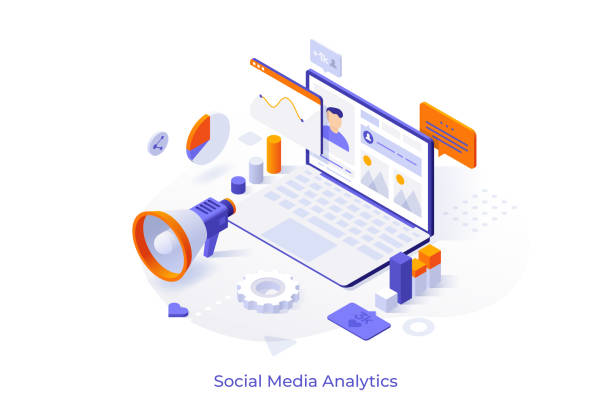
Publishing without measuring is the most common and most costly mistake in social media marketing. In real life, small businesses benefit most from analytics-first tools because data immediately shows which platform deserves more attention and which is a time drain.
The most actionable metrics to track are engagement rate by post type, follower growth rate, link clicks and website traffic from social, story completion rate on Instagram and TikTok, and share-to-impression ratio which signals content people find worth spreading. Tools like Iconosquare and Rival IQ surface these clearly. Google Analytics 4 connects the dots between social activity and actual business outcomes like purchases, signups, or form completions which platform-native insights almost never show you.
Combining Tools for Maximum Effectiveness
The goal is not to use 30 tools, it’s to use five or six that cover every stage of the workflow without overlapping. A practical starting stack, Notion for planning, Canva for visuals, Buffer or Later for scheduling, Claude or Copy.ai for caption drafts, Iconosquare for analytics, and Brand24 for listening. That covers creation, distribution, measurement, and reputation management with no redundancy.
Start with free plans across all of these. Prove the workflow. Then upgrade the specific tool that becomes the bottleneck, usually the analytics platform or the scheduler once your volume grows.
Common Mistakes to Avoid
Posting without a strategy
Showing up daily means nothing if the content has no clear goal. Every post should serve a purpose, drive traffic, build community, generate leads, or increase brand awareness. Know which one before you write.
Relying on one platform only
Algorithm changes can wipe out reach overnight. A diversified presence across two or three platforms protects your audience access and different platforms reach different buyer mindsets.
Ignoring analytics until something goes wrong
Review performance weekly, not monthly. Small course corrections made early are far less costly than a full strategy overhaul after three months of underperformance.
Over-automating without personalization
Scheduled posts are efficient. But accounts that never respond to comments, never acknowledge trends, and never post anything spontaneous feel robotic and audiences disengage quickly.
Using too many tools at once
Tool sprawl creates confusion and wastes the subscription budget. Start lean, master two or three tools, then add only when there’s a specific, painful gap in your current workflow.
Final Thoughts
Social media marketing in 2026 rewards consistency, creativity, and smart measurement, not just volume. The 30 tools in this guide cover every stage of the workflow, but you don’t need all of them. Pick one tool per function, start with free plans, build a repeatable weekly workflow, and upgrade only where growth creates friction. The best social media stack is not the biggest one, it’s the one your team actually uses every single week, without dreading it.
FAQs
Q1. What are the best social media marketing tools for small businesses?
Start with tools that have strong free plans: Buffer for scheduling, Canva for design, Google Analytics 4 for website traffic, and Copy.ai for caption drafts. These four cover the core workflow at zero cost. Add Metricool or Iconosquare for deeper analytics once you’re publishing consistently.
Q2. Can AI tools replace digital managers?
No, but they change what social media managers spend their time on. AI handles caption drafts, hashtag research, and content repurposing well. Human managers still provide brand judgment, community relationship building, crisis response, and creative direction that AI consistently gets wrong. The best teams use AI to do more, not to hire less.
Q3. Are free social media tools worth using?
Yes, several free tools are genuinely powerful. Buffer, Later, Canva, Google Analytics 4, Copy.ai, Metricool, and Notion together cover scheduling, design, analytics, copy, and planning without any paid subscription. Free tiers become limiting only when team size or publishing volume grows significantly.
Q4. How do analytics tools improve social media ROI?
They show you which content, platform, and posting time actually drives results, so you stop investing time in what doesn’t work. Most teams discover that a small percentage of their posts drive the majority of their engagement and traffic. Analytics tools identify exactly which posts those are, so you can replicate them intentionally.
Q5. What features should I prioritize in social media marketing software?
Prioritize based on your biggest bottleneck. Struggling to stay consistent, start with scheduling. Unsure what’s working, start with analytics. Spending too long creating content, start with an AI writing or design tool. Fix the most painful problem first then build the rest of your stack around a working foundation.