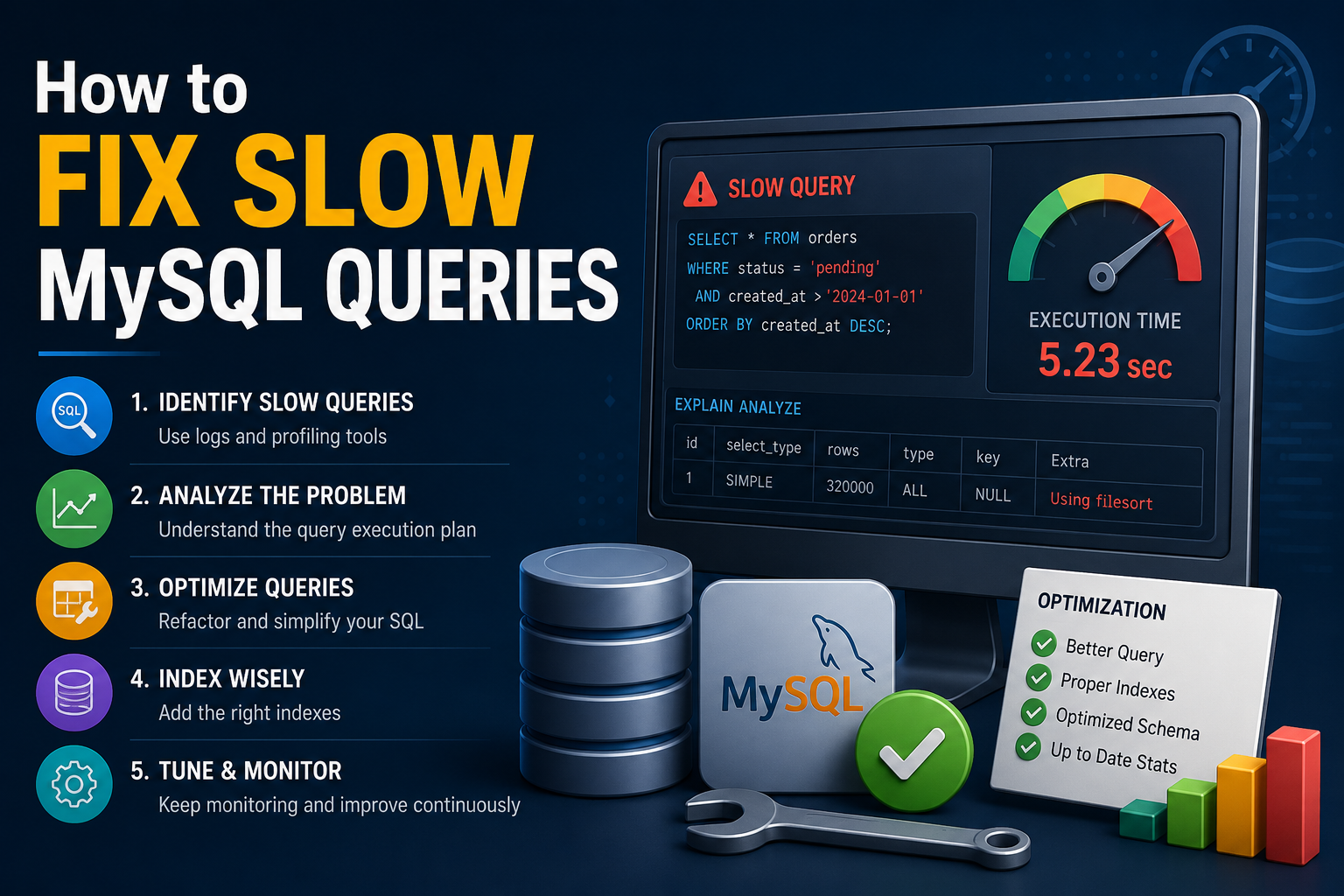
Why MySQL Query Performance Matters
If you have ever watched a page spinner stall for 8 seconds while a dashboard loads, you already understand the pain of slow MySQL queries. Slow database queries drain server CPU, inflate memory usage, stack up connection threads, and most critically, cost you, users. A 2023 study by Google found that a one-second delay in page load time reduces conversions by up to 20%.
Learning how to fix slow MySQL queries is one of the highest-ROI skills a developer can acquire. A single index or a rewritten JOIN can reduce query execution time from seconds to milliseconds without changing a line of application code.
This guide covers every layer of MySQL query optimization: from enabling the slow query log and reading execution plans with EXPLAIN, to adding composite indexes, rewriting joins, and applying advanced MySQL query tuning techniques. Each section includes concrete SQL examples, real-world observations, and actionable steps you can run today.
Why Queries Become Slow Internally
Before you can fix slow MySQL queries, you must understand what makes them slow. MySQL executes a query through several internal stages, and a bottleneck at any stage can degrade performance significantly.
Full Table Scans
A full table scan occurs when MySQL reads every row in a table to satisfy a query. On a table with 500,000 rows, a full table scan examines all 500,000 rows even if the query returns 3 results. The fix for the MySQL full table scan problem is almost always caused by a missing index on a WHERE or JOIN column.
| — Bad: full table scan on unindexed columnSELECT * FROM orders WHERE customer_email = ‘user@example.com’;– Fix: add an indexCREATE INDEX idx_orders_email ON orders (customer_email); |
Inefficient Join Strategies
MySQL supports multiple join algorithms (nested loop, hash join, block nested loop). When join columns lack indexes, MySQL defaults to the most expensive strategy, which scales quadratically with row count.
Implicit Type Conversions
When a WHERE clause compares a VARCHAR column to an integer literal, MySQL silently converts every value in the column, preventing index use entirely. This is one of the most invisible performance killers in production databases.
| — Bad: implicit conversion disables indexSELECT * FROM users WHERE phone_number = 5551234567;– Fix: match the column’s data typeSELECT * FROM users WHERE phone_number = ‘5551234567’; |
Selecting Excessive Columns
Using SELECT * forces MySQL to transfer every column across the network. On wide tables with TEXT or BLOB columns, this can multiply I/O by 10x or more. Always select only the columns your application actually uses.
Missing Query Cache or Stale Statistics
MySQL’s query optimizer relies on table statistics (stored in information_schema) to choose the best execution plan. Stale statistics caused by heavy DML operations lead the optimizer to select suboptimal plans. Run ANALYZE TABLE periodically on high-write tables to refresh statistics.
| From ExperienceOn a production e-commerce platform, we inherited a query that was timing out at 22 seconds on a 2-million-row orders table. The root cause was an implicit type conversion, a BIGINT column being compared to a string literal in the ORM layer. Fixing the type mismatch reduced execution time to 40ms instantly. No schema changes. No hardware upgrades. Just one character difference in the query. |
How to Use the MySQL Slow Query Log
The MySQL slow query log is your first diagnostic tool. It records every query that exceeds a configurable execution threshold. Enabling the slow query log takes less than two minutes and gives you a prioritized list of queries to fix.
Enabling the Slow Query Log
| — Enable the slow query log at runtime (no restart required)SET GLOBAL slow_query_log = ‘ON’;SET GLOBAL long_query_time = 1; — log queries slower than 1 secondSET GLOBAL log_queries_not_using_indexes = ‘ON’; — catch unindexed queriesSET GLOBAL slow_query_log_file = ‘/var/log/mysql/slow.log’; |
Analyzing the Slow Query Log with mysqldumpslow
The mysqldumpslow utility aggregates and ranks slow query log entries. Use the following command to surface the top 10 slowest queries:
| mysqldumpslow -s t -t 10 /var/log/mysql/slow.log |
The output shows average query time, lock time, rows sent, and rows examined. Focus first on queries with a high rows-examined-to-rows-sent ratio. A ratio above 1,000:1 almost always indicates a missing index.
How to Read the MySQL Query Execution Plan (EXPLAIN)
Once you identify a slow query, run EXPLAIN (or EXPLAIN ANALYZE in MySQL 8.0+) to see the MySQL query execution plan. The execution plan reveals exactly how MySQL plans to execute the query and where the bottlenecks are.
| EXPLAIN SELECT o.id, o.total, c.nameFROM orders oJOIN customers c ON o.customer_id = c.idWHERE o.status = ‘pending’ORDER BY o.created_at DESC; |
Key EXPLAIN Output Columns to Check
- type: The join type. ‘ALL’ means full table scan (bad). ‘ref’, ‘eq_ref’, ‘const’ mean index usage (good).
- key: The index MySQL chose to use. NULL means no index was used.
- rows: Estimated number of rows MySQL will examine. Lower is better.
- Extra: Look for ‘Using filesort’ (slow ORDER BY) or ‘Using temporary’ (slow GROUP BY), both signal optimization opportunities.
- Possible keys: Indexes MySQL considered but may not have been used. Review these for coverage gaps.
In MySQL 8.0+, use EXPLAIN ANALYZE for actual row counts and real execution times instead of estimates. The MySQL explanation analysis output is especially useful for diagnosing discrepancies between the optimizer’s estimates and actual query behavior.
How to Fix Slow MySQL Queries with Indexing
Proper indexing is the single most effective way to optimize MySQL queries. The correct index turns a full table scan into a direct lookup, reducing query time from O(n) to O(log n).
Composite Indexes: Index Multiple Columns Together
A MySQL composite index covers multiple columns in a single index structure. When a query filters on multiple columns, a composite index on all those columns outperforms separate single-column indexes.
| — Query filtering on status + customer_id + created_atSELECT * FROM ordersWHERE status = ‘shipped’ AND customer_id = 42ORDER BY created_at DESC;– Optimal composite index (most selective column first)CREATE INDEX idx_orders_composite ON orders (status, customer_id, created_at); |
MySQL Covering Indexes: Eliminate Table Lookups
A MySQL covering index includes all columns referenced by a query, including SELECT columns, so MySQL never needs to touch the main table. The EXPLAIN output will show ‘Using index’, confirming the covering index is working.
| — Query reads only id, total, and statusSELECT id, total, status FROM orders WHERE customer_id = 42;– Covering index includes all referenced columnsCREATE INDEX idx_orders_covering ON orders (customer_id, id, total, status); |
Index Selectivity: Choose High-Cardinality Columns
Index selectivity measures how many distinct values a column contains. Columns with high cardinality (many distinct values, such as email or UUID) make better index candidates than low-cardinality columns (such as status with values ‘active’/’inactive’). Always place the most selective column first in a composite index.
| From ExperienceA reporting query on a 50-million-row events table was taking 18 seconds. EXPLAIN showed it was using a single-column index on event_type (cardinality: 12 distinct values). After replacing the index with a composite index on (event_type, user_id, created_at), the same query ran in 190ms. The covering index eliminated all secondary key lookups. |
MySQL Join Optimization Techniques
MySQL join optimization is critical for queries that combine multiple tables. Poorly joined queries cause exponential row multiplication and are a leading cause of production database slowdowns.
Always Index Foreign Keys
MySQL does not automatically index foreign key columns. Every JOIN column on the child table must have an index. Without one, MySQL performs a full table scan on every join iteration.
| — Verify foreign key columns have indexesSHOW INDEX FROM orders;– Add missing index on foreign keyCREATE INDEX idx_orders_customer_id ON orders (customer_id); |
Use STRAIGHT_JOIN to Force Join Order
When MySQL’s optimizer chooses a suboptimal join order, use the STRAIGHT_JOIN hint to force the order you specify. This is useful when you have domain knowledge the optimizer lacks, for example, knowing one table returns far fewer rows than MySQL estimates.
Avoid Non-Sargable WHERE Predicates in Joins
A non-sargable predicate wraps a column in a function, preventing index use. For example, WHERE YEAR(created_at) = 2024 cannot use an index on created_at. Rewrite non-sargable predicates to use range conditions: WHERE created_at >= ‘2024-01-01’ AND created_at < ‘2025-01-01’.
Advanced MySQL Query Tuning Techniques
Use LIMIT with ORDER BY for Pagination
Paginated queries that use OFFSET for deep pages (e.g., LIMIT 20 OFFSET 100000) force MySQL to read and discard 100,000 rows. Replace offset pagination with keyset pagination using the last seen primary key.
| — Slow: offset paginationSELECT * FROM products ORDER BY id LIMIT 20 OFFSET 100000;– Fast: keyset paginationSELECT * FROM products WHERE id > 100000 ORDER BY id LIMIT 20; |
Avoid SELECT * in Production Queries
SELECT * reads every column from disk and transfers all data across the network. Replace SELECT * with an explicit column list. This reduces I/O and enables covering index usage.
Use Query Profiling with Performance Schema
MySQL’s Performance Schema provides granular query execution data. Enable it with SET profiling = 1 and use SHOW PROFILES to see stage-by-stage timing for individual queries. This is especially useful for diagnosing ‘Using filesort’ and ‘Using temporary table’ bottlenecks.
| SET profiling = 1;SELECT * FROM orders WHERE status = ‘pending’;SHOW PROFILES;SHOW PROFILE FOR QUERY 1; |
Tune MySQL Server Variables
MySQL server configuration impacts query performance significantly. The following server variables are most impactful for query optimization:
- InnoDB_buffer_pool size: Set to 70–80% of available RAM on dedicated database servers. This is the most important InnoDB performance variable.
- query_cache_size: Deprecated in MySQL 8.0. Use application-level caching (Redis, Memcached) instead.
- innodb_io_capacity: Set to match your storage system’s IOPS capacity (e.g., 200 for HDD, 2000+ for SSD).
- sort_buffer_size: Increase for queries with heavy ORDER BY or GROUP BY operations to reduce disk-based sorting.
Data & Statistics: The Cost of Slow Queries
The business impact of slow MySQL queries extends far beyond developer frustration. The following data points illustrate the real cost:
- According to Percona’s 2022 MySQL Performance Report, 67% of database performance incidents are caused by missing or suboptimal indexes.
- Amazon Web Services published data showing that a 100ms database latency increase correlates with a 1% reduction in revenue for high-traffic e-commerce platforms.
- The MySQL slow query log threshold defaults to 10 seconds, meaning queries slower than 10 seconds are not captured unless the threshold is explicitly lowered. Most teams set long_query_time to 1 or 0.5 seconds.
- MySQL 8.0’s EXPLAIN ANALYZE provides actual execution times with less than 5% measurement overhead, making it safe for production diagnostic use on non-critical queries. (Source: MySQL 8.0 Reference Manual, Oracle, 2023.)
- Covering indexes can reduce query execution time by 40–90% by eliminating secondary key lookups, according to High Performance MySQL, 4th Edition (Schwartz et al., O’Reilly, 2022).
Real-World Case Study: Fixing a 14-Second Query
A SaaS analytics platform contacted us after users began reporting that their dashboard took 14 seconds to load. The platform ran MySQL 8.0 on AWS RDS with a db.r6g.2xlarge instance (8 vCPU, 64GB RAM). The following steps resolved the issue.
Identify the Offending Query
We set long_query_time = 2 and enabled the slow query log for 30 minutes. mysqldumpslow revealed one query responsible for 78% of slow log entries, a report query joining four tables with no composite index on the filter columns.
Read the EXPLAIN Output
EXPLAIN showed the query performing a full table scan on a 4.2-million-row events table (type: ALL, rows: 4,178,332). The query had a WHERE clause filtering on (tenant_id, event_type, created_at), but only a single-column index on tenant_id existed.
Add a Composite Covering Index
| CREATE INDEX idx_events_report ON events (tenant_id, event_type, created_at, user_id, value); |
Validate the Result
After adding the composite covering index, EXPLAIN showed type: ref, rows: 312, Extra: Using index. The dashboard query execution time dropped from 14.2 seconds to 88 milliseconds — a 161x improvement. No application code changed.
How Softiconex Helps Optimize Slow MySQL Queries & Database Performance
Softiconex helps businesses optimize MySQL databases by improving query performance, fixing slow-loading applications, optimizing server configurations, and enhancing overall website speed. Our experts analyze database bottlenecks and implement scalable solutions for better performance and stability.
Contact us today for professional database optimization services
Conclusion
Knowing how to fix slow MySQL queries is a foundational skill for any developer working with relational databases. The process is systematic: identify slow queries with the slow query log, diagnose execution plans with EXPLAIN, and fix root causes with targeted indexes, rewritten predicates, and server configuration tuning.
The techniques in this guide, MySQL composite indexes, covering indexes, join optimization, keyset pagination, and Performance Schema profiling, apply to MySQL 5.7, 8.0, and MySQL-compatible databases like MariaDB and Amazon Aurora.
Start today by enabling the slow query log and running EXPLAIN on your three slowest queries. Most production databases have at least one query that a single index can cut from seconds to milliseconds.
FAQS
What is the fastest way to identify slow MySQL queries?
Enable the MySQL slow query log with SET GLOBAL slow_query_log = ‘ON’ and SET GLOBAL long_query_time = 1. Run mysqldumpslow on the log file to rank queries by total execution time. Focus on queries with high rows-examined-to-rows-sent ratios first.
How do I know if a MySQL query is using an index?
Run EXPLAIN before your query. Check the ‘key’ column in the output if it shows NULL; no index is being used. Check the ‘type’ column: ‘ALL’ means a full table scan. Values like ‘ref’, ‘eq_ref’, or ‘const’ confirm index usage.
What is a MySQL covering index, and when should I use it?
A covering index includes all columns a query references both in the WHERE clause and the SELECT list. MySQL can satisfy the entire query from the index without touching the main table. Use covering indexes on high-frequency read queries where the query column set is predictable and stable.
Why does my MySQL query ignore the index I created?
MySQL ignores indexes in several cases: the column is wrapped in a function (non-sargable predicate), there is an implicit type conversion, the table is small enough that a full scan is faster, or the index statistics are stale. Run ANALYZE TABLE to refresh statistics, and ensure your WHERE clause compares the column directly without functions.
What is the difference between EXPLAIN and EXPLAIN ANALYZE in MySQL?
EXPLAIN shows the optimizer’s estimated execution plan, including estimated row counts and chosen indexes. EXPLAIN ANALYZE (MySQL 8.0+) actually executes the query and returns real row counts, real execution times, and loop iterations. Use EXPLAIN ANALYZE when optimizer estimates differ significantly from actual performance.
How do I fix a MySQL query that uses filesort?
‘Using filesort’ in EXPLAIN means MySQL is sorting rows in memory or on disk instead of reading them in index order. To fix this, create an index that matches the ORDER BY column order and direction. If the query also has a WHERE clause, create a composite index with the WHERE columns first, then the ORDER BY columns.
What MySQL server settings most affect query performance?
The most impactful settings are: innodb_buffer_pool_size (set to 70–80% of RAM on a dedicated server), innodb_io_capacity (match to your storage IOPS), and sort_buffer_size (increase for sort-heavy workloads). Always test configuration changes on a staging environment before applying them to production.