If you have ever stared at an empty content calendar at eleven at night, wondering how you are supposed to research, write, optimize, design, and publish a piece before a deadline that felt generous a month ago and feels cruel today, you already understand why content marketing tools exist. The work itself has not gotten easier. There is more competition for attention, search results now mix traditional links with AI-generated summaries, and audiences expect content that is useful within the first ten seconds or they leave.
The right tools do not write your strategy for you, and no platform on this list will replace genuine subject-matter knowledge or a clear point of view. What good content marketing tools do is remove friction. They shorten the distance between an idea and a published, optimized, measurable piece of content. They turn a process that used to take a team of five people a full week into something a lean team of two can finish in two or three days, without cutting corners on quality.
Artificial intelligence has changed the shape of this work more than any development in the last decade. Drafting, outlining, image generation, and on-page optimization that used to take hours now take minutes. AI capabilities now extend beyond text and images into areas such as AI voice calling, creating new ways for businesses to engage audiences and support content-driven workflows. That speed is genuinely useful, but it also raises the bar for editorial judgment, because a tool that writes fast can also publish thin, generic content fast if nobody is steering it. The goal of this guide is to help you steer it well.
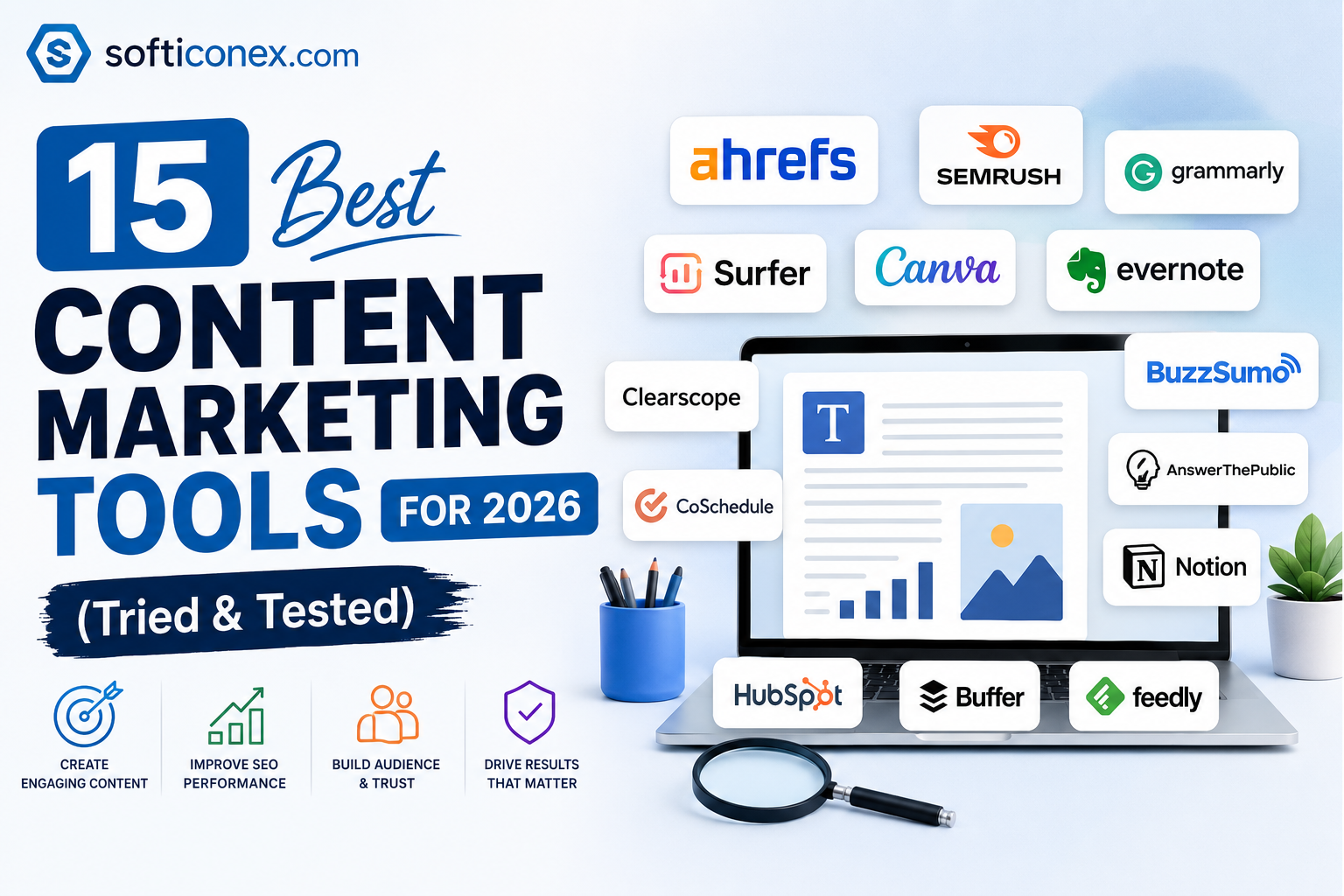
Below, you will find fifteen content marketing tools we evaluated against real workflows: research and planning, writing and design, on-page optimization, distribution, and analytics. Each entry includes what the tool actually does well, where it falls short, current pricing, and who should (and should not) buy it. You will also find a category comparison table, a framework for deciding between free and paid tools, and answers to the questions people search for most often on this topic.
What Are Content Marketing Tools?
Content marketing tools are software platforms that help teams plan, produce, optimize, distribute, and measure content designed to attract, engage, and retain an audience. That content can be a blog post, a landing page, a YouTube script, a LinkedIn carousel, an email newsletter, or a downloadable guide. The common thread is that the content is created to earn attention and trust rather than to interrupt someone with a paid advertisement.
A useful way to think about the category is by job function, because almost no single tool does everything well:
- Research tools: Help you find out what your audience is searching for, what your competitors already rank for, and which topics are worth the investment of writing about.
- Planning tools: Keep editorial calendars, briefs, and approvals organized so nothing falls through the cracks between strategy and publication.
- Creation tools: Cover writing, design, video, and increasingly AI-assisted drafting, so teams can produce content faster without sacrificing accuracy.
- Optimization tools: Analyze ranking pages and search intent to tell you what a piece of content needs in order to compete on Google.
- Distribution tools: Push finished content to the channels where your audience actually spends time, from email inboxes to social feeds.
- Analytics tools: Close the loop by showing what worked, what did not, and where to focus the next round of effort.
Businesses need these tools because content marketing, done manually with spreadsheets and guesswork, does not scale. A solo blogger might get away with a notebook and a free Google document. A team publishing weekly across a blog, an email list, and three social channels cannot keep that consistency without dedicated software, and every wasted hour on a clumsy workflow is an hour not spent on the writing and strategy that actually move the needle.
How We Evaluated the Best Content Marketing Tools
Plenty of “best tools” roundups are little more than affiliate link directories. We approached this differently. Every tool on this list was assessed against seven criteria that matter in a real production workflow, not just a sales page:
- Ease of use: How long it takes a new team member to become productive without a lengthy onboarding process.
- Core feature depth: Whether the tool solves its stated problem thoroughly, rather than offering a shallow version of a feature as a checkbox.
- AI capability: Whether AI features genuinely save time and improve quality, or whether they are a marketing label bolted onto an old product.
- Collaboration: How well the tool supports multiple writers, editors, and approvers working on the same content at once.
- Pricing transparency and value: Whether the published price matches what most teams realistically pay, and whether the cost is justified by the time saved.
- Integrations: How well the tool fits into a stack that likely already includes a CMS, an email platform, and a project management tool.
- Scalability: Whether the tool still works when your team grows from two people to twenty, or whether you will need to migrate again in a year.
Pricing in this guide reflects publicly listed rates as of June 2026. SaaS pricing changes frequently, so always confirm current rates on the vendor’s pricing page before purchasing.
The 15 Best Content Marketing Tools in 2026 (Reviewed)
These fifteen tools cover the full content marketing workflow, from keyword research through to email distribution. They are grouped roughly in the order a piece of content moves through production.
1. Semrush: All-in-one SEO and content research
Semrush is a broad digital marketing suite built around keyword research, competitive analysis, and site auditing, with a dedicated content marketing toolkit layered on top. For teams that want one login covering SEO, content planning, and basic social scheduling, it is one of the most complete options on the market.
Best for: Teams that want keyword research, competitor analysis, and content planning in a single subscription.
Key features:
- Keyword Magic Tool for large-scale keyword discovery and clustering
- Content Marketing Toolkit with topic research and SEO content templates
- Site Audit for identifying technical issues that hold back rankings
- Position Tracking to monitor how target keywords move over time
Pros: Extremely wide feature set means fewer tools needed elsewhere; keyword volume estimates are generally reliable; strong educational resources for teams new to SEO.
Cons: Content-specific features are gated behind the Guru plan, which costs significantly more than the entry-level Pro tier; the interface can feel overwhelming for solo creators who only need a fraction of the toolset.
Pricing: Pro starts around $140 per month, Guru (needed for the content marketing toolkit) starts around $250 per month, and Business starts around $500 per month, all billed monthly; annual billing reduces the effective monthly cost by roughly 17 percent.
Why we recommend it: Semrush earns its place because it eliminates the need to stitch together separate keyword research, audit, and content planning tools, which matters most for in-house teams managing multiple sites.
2. Ahrefs: Keyword research and backlink analysis
Ahrefs built its reputation on having one of the largest live backlink indexes in the industry, and that data quality extends into its keyword research and content gap analysis tools. SEO professionals frequently choose Ahrefs over competitors specifically for link data accuracy.
Best for: SEO specialists and content teams that need accurate backlink data alongside keyword research.
Key features:
- Site Explorer for backlink profiles and competitor traffic estimates
- Keywords Explorer with click-through rate and difficulty estimates
- Content Gap analysis to find topics competitors rank for that you do not
- Rank Tracker for monitoring keyword position changes over time
Pros: Backlink database is widely regarded as one of the most comprehensive available; interface is generally considered cleaner than comparable suites; a low-cost Starter tier makes entry more accessible than in previous years.
Cons: Full content and PPC research features still require the higher Standard and Advanced tiers, which carry higher prices meaningfully; project, keyword, and seat limits can feel restrictive for agencies managing many client accounts.
Pricing: Plans range from roughly $29 per month for the entry-level Starter tier up to several hundred dollars per month for Standard and Advanced tiers, with custom Enterprise pricing for large teams.
Why we recommend it: If link building and competitive backlink analysis are core to your strategy, Ahrefs typically gives more confidence in the underlying data than lower-cost alternatives.
3. Surfer SEO: On-page content optimization
Surfer SEO is a focused content optimization tool. Instead of trying to cover every corner of SEO, it analyzes the pages currently ranking for a target keyword and produces a data-driven checklist covering structure, word count range, and related terms a writer should include.
Best for: Writers and editors who need a clear, structured brief before drafting, and a score to check progress against while writing.
Key features:
- Content Editor with a live content score as you write
- SERP Analyzer that benchmarks your draft against top-ranking pages
- Topical Map feature for planning content clusters around a core subject
- Google Docs and WordPress integrations for in-workflow editing
Pros: Significantly cheaper than buying a full SEO suite if optimization is the only feature you need; the live scoring system gives writers immediate feedback rather than waiting for a separate review cycle.
Cons: It is not a substitute for a full SEO platform, since it does not offer backlink analysis or technical site audits; chasing a perfect content score without judgment can produce text that reads as mechanical rather than natural.
Pricing: The Essential plan starts at roughly $99 per month with monthly billing, or about $79 per month billed annually; the Scale plan starts at roughly $219 per month, or about $175 per month billed annually.
Why we recommend it: Surfer is the tool we reach for specifically at the optimization stage of a workflow, after research and before final editing, because the checklist keeps writers focused on what actually correlates with ranking.
4. BuzzSumo: Content research and trend discovery
BuzzSumo analyzes which content and headlines have performed best across the web for a given topic, based on social engagement and backlink data. It is most useful at the idea-generation stage, before a single word is written.
Best for: Teams that need to validate a content idea against real engagement data before committing writing resources to it.
Key features:
- Content Analyzer showing top-performing articles by topic
- Question Analyzer for finding the exact phrasing audiences search
- Influencer and journalist discovery for outreach and distribution
- Trending topic alerts for newsworthy or seasonal content
Pros: Strong at surfacing proven angles for a topic rather than guessing; question-based research helps content match how people actually phrase queries.
Cons: Social engagement data has become noisier as platforms restrict API access, so figures should be treated as directional rather than exact; the tool does not help with the writing or optimization stages.
Pricing: Paid plans typically start in the range of $100 to $200 per month depending on the feature tier and user seats, with a limited free search allowance.
Why we recommend it: BuzzSumo earns a place on this list because validating an idea before writing it is far cheaper than discovering after publication that nobody wanted to read it.
5. Canva Visual content creation
Canva turned graphic design from a specialist skill into something almost anyone on a content team can do competently. Its drag-and-drop editor, enormous template library, and AI-assisted design features make it the default choice for blog graphics, social posts, and simple video edits.
Best for: Solo content marketers, small teams, and anyone without dedicated design support who still needs professional-looking visuals quickly.
Key features:
- Drag-and-drop editor with over a million templates
- Background Remover and Magic Resize for fast repurposing across formats
- Brand Kit for consistent fonts, colors, and logos across a team
- Built-in stock photo, video, and audio library on paid plans
Pros: Genuinely fast to learn, even for people with no design background; the free plan is capable enough for occasional use; templates make brand consistency easier to maintain across a team.
Cons: Professional designers will find it lacks the precision and layering control of dedicated tools like Adobe Photoshop or Illustrator; heavy reliance on templates can make brand visuals look generic if not customized.
Pricing: A capable free plan is available; Canva Pro for individuals is priced at roughly $13 to $15 per month, or a lower effective rate billed annually; team plans are typically priced per user per month, around $10 to $20 depending on tier.
Why we recommend it: Canva consistently saves the most time per dollar for non-designers who need to produce visual content on a near-daily basis.
6. Notion: Content planning and documentation
Notion combines note-taking, databases, and project tracking into a single flexible workspace. Content teams commonly use it to house editorial calendars, style guides, and content briefs in one connected system rather than scattered documents.
Best for: Teams that want a single, flexible home for editorial calendars, style guides, and content briefs.
Key features:
- Customizable databases for editorial calendars and content trackers
- Linked pages for style guides, briefs, and SOPs
- Templates for recurring workflows like content briefs or publishing checklists
- Collaboration features including comments and shared workspaces
Pros: Highly flexible, which means it can be configured for almost any team structure; doubles as documentation and knowledge base, reducing the need for separate wiki software.
Cons: That same flexibility means new team members face a learning curve building or understanding a workspace someone else designed; dedicated project management tools offer more purpose-built features for task tracking at scale.
Pricing: A limited free plan is available; paid plans typically start around $10 to $12 per user per month, with higher tiers for advanced permissions and analytics.
Why we recommend it: Notion’s strength is consolidation. Many teams replace three or four separate planning documents with a single connected Notion workspace, which reduces the chance that a brief and a calendar fall out of sync.
7. Grammarly: Writing quality and editing
Grammarly checks grammar, spelling, clarity, and tone, going well beyond a basic spell-checker by suggesting sentence-level rewrites and flagging tone mismatches before a piece goes out the door.
Best for: Any writer or editor who wants an additional layer of quality control before content reaches a human reviewer.
Key features:
- Real-time grammar, spelling, and punctuation suggestions
- Tone detection to flag language that may read as too casual or too formal
- Clarity suggestions for simplifying long or awkward sentences
- Browser extension and Google Docs integration for in-context editing
Pros: Catches errors that built-in word processor spell-checkers frequently miss; tone suggestions are useful for teams maintaining a consistent brand voice across multiple writers.
Cons: The volume of suggestions can be distracting if left active while drafting, rather than reviewing afterward; some suggested rewrites favor a generic, flattened style that experienced writers may choose to override.
Pricing: A limited free version is available; paid plans for individuals start at roughly $30 per month, with separate team and business pricing for larger groups.
Why we recommend it: Grammarly is not a creativity tool, and it should not be treated as the final word on style, but as a safety net before publishing; it consistently catches what a tired human editor misses late in the day.
8. ChatGPT: General-purpose AI writing assistant
ChatGPT is a conversational AI assistant capable of drafting, summarizing, brainstorming, and explaining complex topics in plain language. Content teams use it across nearly every stage of production, from outlining to repurposing long-form content into shorter formats.
Best for: Brainstorming, outlining, summarizing research, and drafting first passes of content that a human writer then refines.
Key features:
- Conversational drafting and rewriting across multiple tones and formats
- Summarization of long documents, transcripts, or research material
- Brainstorming support for headlines, angles, and content structures
- Custom instructions and projects for maintaining consistent context across sessions
Pros: Free tier is genuinely useful, not just a limited demo; fast at repetitive writing tasks like meta descriptions or alternative phrasing; useful for translating or restructuring research material quickly.
Cons: Output requires fact-checking before publication, since the model can state incorrect information confidently; without a clear brief and brand voice guidelines, drafts can be read as generic.
Pricing: A usable free tier is available; paid plans start at roughly $20 per month for individuals, with higher tiers for teams and advanced usage limits.
Why we recommend it: We recommend ChatGPT as a drafting accelerant rather than a replacement for a writer’s judgment. The teams that get the most value from it treat it as a fast first draft generator and a research assistant, not a final author.
9. Jasper AI: AI content generation for marketing teams
Jasper AI is purpose-built for marketing content, with templates and brand voice controls designed specifically for repeatable formats like ad copy, product descriptions, and blog outlines at scale.
Best for: Marketing teams producing high volumes of on-brand copy across multiple formats and campaigns.
Key features:
- Brand Voice settings to keep generated copy consistent across writers
- Pre-built templates for ads, product descriptions, and email copy
- Campaign workflows for generating multiple content types from one brief
- Team collaboration features for shared brand guidelines
Pros: Brand voice controls are more marketing-specific than general-purpose AI assistants; templates reduce setup time for recurring content types like product launches.
Cons: Pricing is higher than general-purpose AI tools, which makes it harder to justify for very small teams; output still benefits from human editing to avoid a templated feel across high volumes of content.
Pricing: Plans typically start around $39 to $49 per month for individual creators, scaling up for team seats and higher word volume allowances.
Why we recommend it: Jasper makes the most sense for marketing teams that need brand-consistent output across dozens of pieces a month and are willing to pay a premium for built-in brand voice controls.
10. HubSpot Content Hub: Content management and marketing platform
HubSpot Content Hub combines a CMS, AI content tools, and analytics within HubSpot’s broader marketing and CRM ecosystem. It suits teams that want content creation connected directly to lead data and sales pipelines.
Best for: Businesses already using HubSpot’s CRM or marketing tools that want content creation and performance tracking in the same system.
Key features:
- AI-assisted content creation tied directly to CRM contact data
- Built-in SEO recommendations during the content creation process
- Content performance reporting connected to lead and revenue data
- Drag-and-drop landing page and blog editor
Pros: Tight integration with CRM data means content performance can be tied to actual leads and revenue, not just traffic; reduces the need for separate analytics integrations.
Cons: Pricing scales quickly once you need marketing automation features beyond basic content publishing; teams not already using HubSpot’s CRM may find the investment hard to justify for content alone.
Pricing: Content Hub is typically bundled within HubSpot’s Marketing Hub plans, which start at no cost for very basic tools and scale into several hundred dollars per month for Professional and Enterprise tiers.
Why we recommend it: HubSpot earns its place for businesses that have already standardized on its CRM, since the ability to connect a blog post directly to a closed sale is difficult to replicate with a patchwork of separate tools.
11. Google Analytics 4: Web and content analytics
Google Analytics 4 is Google’s free analytics platform for tracking website traffic, user behavior, and conversions. For content marketers, it answers the fundamental question of which pieces are actually working.
Best for: Any team that publishes content on a website and needs to measure traffic, engagement, and conversion performance.
Key features:
- Event-based tracking for page views, scroll depth, and conversions
- Audience reports showing how visitors find and use your content
- Custom reports and explorations for content-specific performance questions
- Integration with Google Ads and Search Console for fuller funnel visibility
Pros: Free for the vast majority of websites; deeply integrated with the rest of the Google marketing ecosystem; provides genuinely granular behavioral data once configured correctly.
Cons: The interface and event-based data model have a real learning curve compared to the older, simpler analytics format; without careful setup, it is easy to track the wrong events or misinterpret reports.
Pricing: Free for standard use; a paid Analytics 360 tier exists for enterprise-scale data volume and support needs.
Why we recommend it: Every content strategy needs a single source of truth for what is actually working, and for most websites, Google Analytics 4 remains that source, even with its steeper learning curve.
12. Google Search Console: Search performance monitoring
Google Search Console is a free tool that shows exactly how your website appears in Google Search results, including which queries bring in clicks, your average ranking position, and any technical issues affecting indexing.
Best for: Tracking which keywords actually drive clicks from Google, directly from the source.
Key features:
- Performance reports showing queries, clicks, impressions, and average position
- Index coverage reports flagging pages Google cannot crawl or index
- URL inspection tool for diagnosing individual page issues
- Core Web Vitals and mobile usability reporting
Pros: Data comes directly from Google, so it carries more authority than third-party estimates from any SEO tool; completely free with no usage limits for most sites.
Cons: There is a reporting delay of roughly two to three days before confirmed click and impression data appears; the interface offers less filtering depth than paid SEO platforms.
Pricing: Free for all verified website owners.
Why we recommend it: No paid SEO tool can substitute for first-party Google data. We recommend pairing Search Console with a paid research tool rather than replacing it, since each shows something the other cannot.
13. Trello: Lightweight project management
Trello uses a simple card-and-board structure to track tasks through stages, such as idea, draft, review, and publication. Its simplicity makes it a popular entry point for small content teams that find heavier project management tools excessive.
Best for: Small teams or solo creators who want a visual, low-friction way to track content from idea to publication.
Key features:
- Drag-and-drop boards organized by content status
- Checklists, due dates, and file attachments on individual cards
- Automation rules (Butler) for repetitive workflow steps
- Calendar and timeline views for editorial scheduling
Pros: Extremely quick to set up and learn, often within minutes; visual board format makes it easy to see what is stuck at any stage of production.
Cons: Lacks the deeper reporting, dependencies, and resource management features that larger teams eventually need; can become disorganized at scale without strict card-naming conventions.
Pricing: A capable free plan is available; paid plans typically start at roughly $5 to $10 per user per month for additional automation and views.
Why we recommend it: Trello remains a sensible starting point specifically because it does not force a small team to learn an enterprise tool before they actually need enterprise features.
14. CoSchedule — Editorial calendar and marketing workflow
CoSchedule is purpose-built for marketing teams, combining an editorial calendar, social media scheduling, and basic project management designed specifically around content production cycles rather than generic task tracking.
Best for: Marketing teams that want a calendar-first view of content across blog, social, and email channels in one place.
Key features:
- Marketing calendar showing all content and campaigns in one timeline
- Social media scheduling integrated with the same calendar
- Marketing project templates for recurring campaign types
- Team workflow and approval tools for content review stages
Pros: Built specifically for marketing workflows rather than adapted from generic project management software, which shows in the calendar-first design; integrated social scheduling reduces tool-switching.
Cons: Pricing is less transparent than competitors and often requires a sales conversation for full feature access; smaller teams may find generic tools like Trello sufficient at a fraction of the cost.
Pricing: Entry-level plans are generally priced in the range of $19 to $40 per user per month, with higher-tier marketing suite pricing requiring a custom quote.
Why we recommend it: CoSchedule fits teams that have outgrown a generic task board and specifically need a calendar that treats content and campaigns as first-class objects, not just cards on a list.
15. Mailerlite: Email marketing and distribution
Mailerlite is an email marketing platform that lets content teams turn published content into a recurring distribution channel through newsletters, automated sequences, and landing pages, closing the loop between publishing and audience retention.
Best for: Teams that want an affordable, easy-to-use way to turn published content into a recurring email audience.
Key features:
- Drag-and-drop email and newsletter editor
- Automation workflows for onboarding sequences and content digests
- Landing page and signup form builder for list growth
- Subscriber segmentation and basic A/B testing
Pros: One of the more affordable full-featured email platforms on the market; interface is approachable for teams without a dedicated email specialist; free plan supports a meaningful subscriber count before requiring payment.
Cons: Lacks some of the advanced automation branching and migration support found in higher-priced competitors; larger lists with complex segmentation needs may eventually outgrow it.
Pricing: A free plan is available for smaller subscriber lists; paid plans typically start at roughly $12 per month and scale based on subscriber count.
Why we recommend it: Content without distribution rarely reaches its full audience. Mailerlite earns a spot here because it is one of the lowest-friction ways to turn one-time readers into a recurring, owned audience.
Content Marketing Tools by Category
If you only need one recommendation per job function rather than reading all fifteen reviews, use this table as a quick reference.
| Category | Best Tool | Starting Price |
| SEO and keyword research | Semrush | ~$140/month |
| Backlink and competitive analysis | Ahrefs | ~$29/month |
| On-page content optimization | Surfer SEO | ~$79/month (annual) |
| Content idea validation | BuzzSumo | ~$100/month |
| AI writing and drafting | ChatGPT | Free / ~$20/month |
| Brand-voice AI copywriting | Jasper AI | ~$39/month |
| Visual content design | Canva | Free / ~$13/month |
| Editorial planning and documentation | Notion | Free / ~$10/month |
| Project and workflow tracking | Trello | Free / ~$5/month |
| Marketing-specific calendar | CoSchedule | ~$19/month |
| Writing quality and editing | Grammarly | Free / ~$30/month |
| CMS and CRM-connected content | HubSpot Content Hub | Free / scales with tier |
| Website and content analytics | Google Analytics 4 | Free |
| Search performance tracking | Google Search Console | Free |
| Email distribution | Mailerlite | Free / ~$12/month |
Free vs Paid Content Marketing Tools
Free tools are not inferior tools by default. Google Analytics 4, Google Search Console, Canva’s free tier, and ChatGPT’s free plan are all genuinely capable, and many solo creators and small businesses can run an entire content operation on free tools for the first year or two.
The benefits of starting free are straightforward: no financial risk while you validate whether content marketing is working for your business, no wasted spend on features you are not yet ready to use, and a lower barrier for trying multiple tools before committing to one.
The limitations show up as you scale. Free plans typically cap storage, the number of tracked keywords, the number of users who can collaborate, or the volume of AI-generated content per month. Free SEO research tools tend to give ranges rather than precise estimates, which becomes a real constraint once budget decisions depend on accurate data.
A reasonable rule for knowing when to upgrade: move to a paid plan once a free tool’s limitation is costing you more in lost time, lost accuracy, or lost revenue than the subscription itself would cost. If you are manually working around a 5GB storage cap every week, or guessing at keyword volume because the free tier only shows ranges, the paid plan has likely already paid for itself.
How to Choose the Right Content Marketing Tool for Your Team
With fifteen strong options above, the harder question is usually not “which tool is best” but “which tool is best for my specific situation.” Work through these six factors in order.
Budget. Decide on a realistic monthly software budget before you start comparing tools, not after. A $50 budget and a $500 budget point toward genuinely different shortlists, and there is no shame in starting small.
Team size. A solo creator needs tools that work well for one person; a ten-person team needs tools with real collaboration and permission controls. Buying enterprise software for a team of one wastes money on unused seats and features.
Goals. A business chasing organic search traffic should prioritize SEO research and optimization tools. A business focused on list growth and retention should prioritize email and landing page tools first.
Integrations. Check whether a new tool connects cleanly with the CMS, CRM, and analytics platforms you already use. A powerful tool that creates a data silo often causes more work than it saves.
Learning curve. A feature-rich tool nobody on the team actually uses provides zero value. Weigh genuine ease of adoption as heavily as raw feature count, especially for smaller teams without a dedicated power user.
AI capability. Evaluate whether a tool’s AI features save real time on tasks you already do weekly, rather than being a feature added mainly for marketing purposes. Test it on a real task before subscribing.
Common Mistakes to Avoid
Using too many tools. Every additional subscription adds a login, a workflow step, and a place for information to get lost. Before adding a new tool, check whether something you already pay for can do the job.
Ignoring analytics. Publishing without reviewing performance data means repeating the same mistakes indefinitely. Schedule a recurring monthly review of your top and bottom-performing content.
Choosing tools based only on price. The cheapest tool that does not fit your workflow costs more in wasted time than a pricier tool that fits well. Weigh total cost, including the time your team spends working around limitations.
Not integrating workflows. A research tool, a writing tool, and a publishing tool that do not talk to each other create manual export-and-import busywork. Favor tools with native integrations over ones that require constant copy-pasting.
Neglecting content optimization. Publishing a well-researched, well-written article without checking it against what is already ranking is one of the most common reasons strong content underperforms. Build an optimization check into your process before publishing, not after.
Conclusion
Choosing the right content marketing tools is less about finding one perfect platform and more about assembling a small, well-integrated stack that matches how your team actually works. The fifteen tools covered in this guide span research, writing, design, optimization, planning, and distribution, and very few teams need all fifteen at once.
If you are a solo blogger or small business owner, start with free tools: Google Search Console and Google Analytics 4 for measurement, Canva’s free tier for design, and ChatGPT’s free plan for drafting support. Add a paid optimization tool like Surfer SEO once you are publishing consistently and want to compete more seriously in search results.
If you are an SEO professional or agency managing multiple client sites, an all-in-one platform like Semrush or Ahrefs will likely justify its cost quickly through time saved on research and reporting. If you run a SaaS business or in-house marketing team, pairing a CRM-connected platform like HubSpot Content Hub with a dedicated email tool like Mailerlite closes the loop between content and revenue.
Whatever your starting point, resist the urge to buy everything at once. Start with one tool that solves your most immediate bottleneck, whether that is research, writing speed, or distribution, and scale your content marketing tools stack only as your content volume and team genuinely require it. That disciplined approach will save more money and produce better content than chasing every new platform that promises to do it all.
Frequently Asked Questions
What are content marketing tools?
Content marketing tools are software platforms that help teams research, plan, create, optimize, distribute, and measure content. They cover everything from keyword research and AI writing assistants to design software, editorial calendars, and analytics dashboards.
Which content marketing tool is best?
There is no single best tool for every team, because the right choice depends on your specific job function, budget, and team size. Semrush is the strongest all-in-one pick for SEO-driven content research, Surfer SEO leads for on-page optimization, and Canva leads for fast visual content creation. Most effective content marketing stacks combine two to four specialized tools rather than relying on one platform for everything.
Are free content marketing tools worth it?
Yes, for many teams, especially in the early stages. Google Analytics 4, Google Search Console, Canva’s free tier, and ChatGPT’s free plan are all capable enough to run a complete content operation. Free tools become limiting once your team, content volume, or accuracy needs outgrow the plan’s caps, at which point a paid upgrade typically pays for itself in saved time.
Which AI tools help with content marketing?
ChatGPT and Jasper AI are the most widely used AI tools for content marketing, covering drafting, brainstorming, and brand-voice copywriting. Surfer SEO and Semrush also include AI-assisted features for outlining and optimizing content around search intent. AI tools work best as drafting and research accelerants that a human writer then reviews, fact-checks, and refines, rather than as a fully automated replacement for editorial judgment.
How many content marketing tools do I need?
Most small to mid-sized teams operate effectively with four to six tools covering research, writing or design, optimization, planning, and analytics. Solo creators can often start with two or three free tools. The right number is the smallest set that covers your full workflow without leaving obvious gaps or creating redundant overlap between tools.