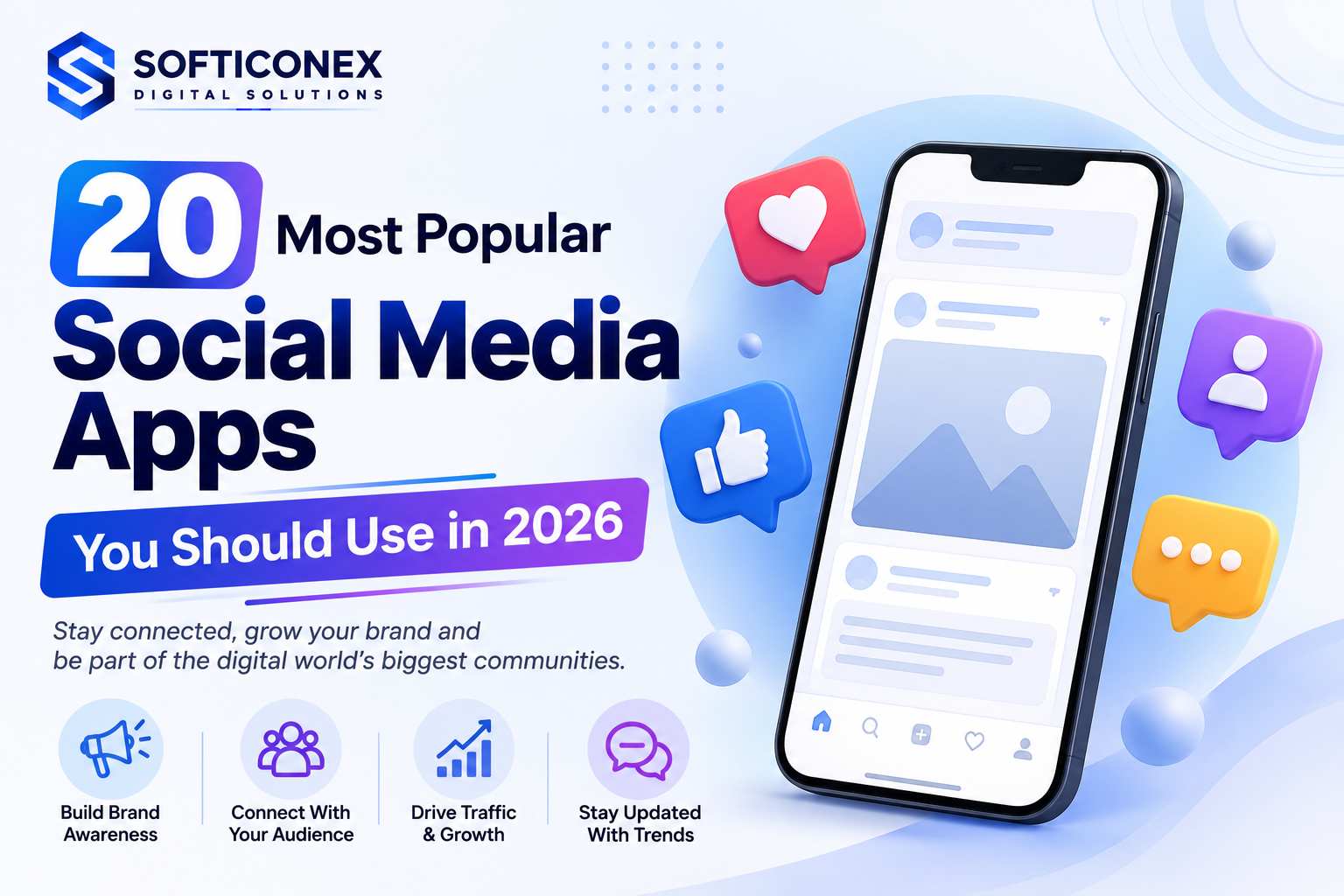
A complete, practical guide to the platforms shaping communication, entertainment, and business today.
What Are Social Media Apps?
Social media apps are mobile and web platforms that let people create profiles, share content, and interact with others in real time. Featured answer: A social media app is a digital platform where users post text, photos, videos, or audio, then connect with friends, followers, or communities through likes, comments, shares, and direct messages.
Most social media apps share a few core features. Users build a profile, follow or friend other accounts, post content, and engage through comments and reactions. Many apps also include private messaging, business tools, and advertising options.
People use these apps for many reasons, including staying in touch with friends and family, discovering news, learning new skills, building a personal brand, and running a business. Because each app has a different format and audience, understanding these differences helps you choose the platform that fits your goals.
Why Social Media Apps Are So Popular
Several factors explain why billions of people around the world use social media apps every day.
- Easy communication, since messaging and video calls connect people instantly across long distances
- Entertainment, through short videos, live streams, and shareable content
- Business opportunities, including advertising, social commerce, and direct customer communication
- Personal branding, which helps creators and professionals build an audience and reputation
- Online communities, where people with shared interests can connect regardless of location
- News and information sharing, since many users now discover breaking news through social feeds
How We Selected These Apps
This guide focuses on platforms that stand out for global reach, useful features, and real value to different types of users. The apps below were chosen based on the following criteria.
- Global popularity and long-term relevance
- Range and usefulness of features
- Overall user experience and ease of use
- Strength of community engagement
- Availability of business and advertising tools
- Support for creators and monetization
- Security and privacy practices
- Ongoing innovation, such as AI features and new formats
20 Most Popular Social Media Apps
Overview
Facebook is one of the largest and most established social networking platforms in the world. It lets people connect with friends and family, join groups, and follow pages built around shared interests.
Best For
Community building, staying in touch with family, and local business marketing.
Key Features
- News Feed with photos, videos, and status updates
- Facebook Groups for niche communities
- Facebook Marketplace for local buying and selling
- Business Pages with advertising tools
Advantages
- Huge and diverse user base
- Strong advertising and analytics tools for businesses
- A wide range of content formats
Disadvantages
- Younger users are shifting to other apps
- Organic reach for pages can be limited
Who Should Use It
Small businesses, community organizers, and anyone who wants to stay connected with extended family.
Privacy and Safety Notes
Review your audience settings for every post and limit who can see your friend list and personal details.
YouTube
Overview
YouTube is the leading video-sharing platform, used for entertainment, learning, and long-form storytelling.
Best For
Long-form video content, tutorials, vlogs, and video-based education.
Key Features
- Long and short video formats
- YouTube Shorts for quick clips
- Live streaming
- Monetization through the Partner Program
Advantages
- Strong search and discovery through Google
- Multiple income streams for creators
- Works well for evergreen, searchable content
Disadvantages
- Requires consistent, higher-effort content production
- Competition for attention is intense
Who Should Use It
Educators, reviewers, hobbyists, and brands that want to build authority through video.
Privacy and Safety Notes
Set videos to private or unlisted when needed and manage comment moderation settings carefully.
Overview
WhatsApp is a messaging app used for personal chats, group conversations, and business communication.
Best For
Private messaging, voice and video calls, and customer communication for small businesses.
Key Features
- End-to-end encrypted messaging
- Voice and video calls
- WhatsApp Business tools
- Status updates similar to stories
Advantages
- Strong privacy through encryption
- Works reliably on low data connections
- Widely trusted for business chat
Disadvantages
- Limited public discovery features
- Group size limits compared to some competitors
Who Should Use It
Families, small business owners, and anyone who prefers direct, private conversations.
Privacy and Safety Notes
Enable two-step verification and control who can see your last seen status and profile photo.
Overview
Instagram is a visual platform built around photos, short videos, and Stories, popular with creators and brands.
Best For
Visual storytelling, personal branding, and influencer marketing.
Key Features
- Reels for short form video
- Stories that disappear after 24 hours
- Instagram Shopping
- Direct messaging
Advantages
- High engagement for visual content
- Strong tools for creators and shopping
- Large, active audience
Disadvantages
- Algorithm changes can affect reach quickly
- Can encourage unhealthy social comparison
Who Should Use It
Influencers, photographers, fashion and lifestyle brands, and small online shops.
Privacy and Safety Notes
Switch to a private account if you want approval control over new followers, and review tagged photo settings.
TikTok
Overview
TikTok is a short form video platform known for fast discovery and a highly personalized feed.
Best For
Short form entertainment, trends, and rapid audience growth.
Key Features
- Short vertical videos
- Duet and stitch tools
- Powerful recommendation algorithm
- Live streaming and gifts
Advantages
- Fast organic growth potential
- Low barrier to entry for creators
- Strong trend driven discovery
Disadvantages
- Trends move quickly and require constant adaptation
- Screen time can add up fast for younger users
Who Should Use It
Young creators, entertainers, and brands targeting a younger audience.
Privacy and Safety Notes
Set the account to private for minors and review screen time and family pairing controls regularly.
Overview
WeChat is an all in one super app combining messaging, payments, and mini programs, especially popular in China.
Best For
Messaging, mobile payments, and business services in Chinese speaking markets.
Key Features
- Messaging and voice calls
- WeChat Pay
- Mini programs for services within the app
- Official accounts for businesses
Advantages
- Combines many daily tasks in one app
- Strong presence in Chinese speaking regions
- Useful for local business operations
Disadvantages
- Less relevant outside its core regional markets
- Learning curve for new international users
Who Should Use It
Businesses operating in China and users who want an all in one communication and payment app.
Privacy and Safety Notes
Review app permissions carefully since the platform links messaging, payments, and personal data.
Messenger
Overview
Facebook Messenger is a standalone messaging app connected to the Facebook ecosystem.
Best For
Direct messaging, group chats, and customer support through Facebook Pages.
Key Features
- Text, voice, and video chat
- Chatbots for business support
- Group video calls
- Games and interactive stickers
Advantages
- Deep integration with Facebook Pages
- Useful automation options for businesses
- Familiar interface for existing Facebook users
Disadvantages
- Requires a Facebook account for full features
- Notifications can feel overwhelming for heavy users
Who Should Use It
Businesses handling customer questions and users already active on Facebook.
Privacy and Safety Notes
Turn on app lock and review who can message you directly from outside your contact list.
Telegram
Overview
Telegram is a messaging app known for speed, large group capacity, and channel broadcasting.
Best For
Large communities, broadcast channels, and privacy focused messaging.
Key Features
- Channels with unlimited subscribers
- Large group chats
- Secret chats with extra encryption
- Bots for automation
Advantages
- Handles very large communities well
- Strong file sharing limits
- Flexible bot ecosystem
Disadvantages
- Default chats are not end to end encrypted
- Less mainstream than some rivals for casual users
Who Should Use It
Community managers, crypto and tech groups, and users who want channel style broadcasting.
Privacy and Safety Notes
Use secret chats for sensitive conversations and enable two step verification in settings.
Snapchat
Overview
Snapchat is a messaging and content app centered on disappearing photos, videos, and Stories.
Best For
Casual daily communication and reaching younger audiences with playful content.
Key Features
- Disappearing photo and video messages
- Snap Map for location sharing
- AR lenses and filters
- Snapchat Discover content
Advantages
- Strong appeal among teens and young adults
- Creative AR features
- Encourages authentic, casual sharing
Disadvantages
- Content disappearing can complicate long term brand building
- Location sharing features need careful privacy setup
Who Should Use It
Younger audiences, brands targeting Gen Z, and friends who prefer quick, casual updates.
Privacy and Safety Notes
Turn off Snap Map location sharing or limit it to close friends only.
X
Overview
X, formerly known as Twitter, is a real time platform for news, opinions, and public conversation.
Best For
Real time updates, public discussions, and following news and industry trends.
Key Features
- Short text posts with media support
- Trending topics
- Spaces for live audio conversations
- Reposting and quote posts
Advantages
- Fast breaking news distribution
- Direct access to public figures and experts
- Good for building thought leadership
Disadvantages
- Conversations can become heated quickly
- Algorithm and policy changes happen often
Who Should Use It
Journalists, industry experts, customer support teams, and news followers.
Privacy and Safety Notes
Set your account to protected posts if you prefer to approve followers before they see your content.
Overview
Pinterest is a visual discovery platform where users save and organize ideas through image based Pins.
Best For
Idea discovery, planning, and driving traffic to blogs or online stores.
Key Features
- Pins linked to external websites
- Boards for organizing saved ideas
- Idea Pins for multi page stories
- Shopping features
Advantages
- Long content lifespan compared to other feeds
- Strong for driving website traffic
- High purchase intent among users
Disadvantages
- Smaller active user base than major networks
- Best suited to visually driven niches
Who Should Use It
Bloggers, home and lifestyle brands, wedding planners, and online store owners.
Privacy and Safety Notes
Keep boards private while planning and only make them public when ready to share publicly.
Overview
Reddit is a discussion platform organized into topic based communities called subreddits.
Best For
In depth discussions, niche communities, and honest peer feedback.
Key Features
- Subreddits for specific topics
- Upvote and downvote system
- Threaded comment discussions
- Community moderation tools
Advantages
- Deep, topic specific engagement
- Strong for market research and feedback
- Anonymity encourages honest opinions
Disadvantages
- Steep learning curve for newcomers
- Self promotion is often discouraged by communities
Who Should Use It
Researchers, niche hobbyists, and brands that want authentic community feedback.
Privacy and Safety Notes
Use a separate username unrelated to your real identity if you want to keep your Reddit activity private.
Overview
LinkedIn is a professional networking platform for careers, hiring, and business to business marketing.
Best For
Professional networking, recruiting, and business focused content.
Key Features
- Professional profiles and resumes
- Job search and recruiting tools
- Articles and professional posts
- Company Pages
Advantages
- High quality professional audience
- Strong for B2B lead generation
- Useful for career growth and hiring
Disadvantages
- Less suited to casual or entertainment content
- Organic reach can require consistent posting
Who Should Use It
Professionals, recruiters, consultants, and B2B businesses.
Privacy and Safety Notes
Control who can see your connections and adjust visibility of your activity broadcasts.
Discord
Overview
Discord is a community platform built around servers, voice channels, and real time chat.
Best For
Gaming communities, hobby groups, and creator communities that need structured channels.
Key Features
- Text and voice channels
- Servers organized by topic
- Screen sharing
- Bots for moderation and engagement
Advantages
- Excellent for real time community interaction
- Highly customizable server structure
- Strong for gaming and niche interest groups
Disadvantages
- Can feel overwhelming for beginners
- Discovery outside existing communities is limited
Who Should Use It
Gamers, course creators, and any community that benefits from organized channels.
Privacy and Safety Notes
Adjust server privacy settings and limit who can send you direct messages.
Threads
Overview
Threads is a text based conversation app connected to Instagram, focused on public discussions.
Best For
Short form public conversations and building on an existing Instagram audience.
Key Features
- Short text posts
- Direct connection to Instagram profiles
- Reposting and quoting
- Public reply threads
Advantages
- Easy setup using an existing Instagram account
- Clean, simple interface
- Growing engaged community
Disadvantages
- Fewer advanced features compared to more established platforms
- Still developing compared to older networks
Who Should Use It
Instagram creators who want a text focused space for conversation.
Privacy and Safety Notes
Match your Threads privacy settings with your Instagram account settings for consistency.
Quora
Overview
Quora is a question and answer platform where users share knowledge across many topics.
Best For
Sharing expertise, answering questions, and building topical authority.
Key Features
- Question and answer format
- Topic following
- Spaces for grouped content
- Upvoting for quality answers
Advantages
- Strong for demonstrating expertise
- Good long term search visibility
- Wide range of topics covered
Disadvantages
- Answer quality varies widely
- Slower engagement compared to fast paced feeds
Who Should Use It
Consultants, educators, and professionals who want to showcase knowledge.
Privacy and Safety Notes
Use anonymous answers when discussing sensitive topics you prefer not to attach to your profile.
Tumblr
Overview
Tumblr is a blogging and social platform known for creative, niche, and fandom communities.
Best For
Creative writing, fan communities, and multimedia blogging.
Key Features
- Short form blog posts
- Reblogging content
- Tag based discovery
- Multimedia post formats
Advantages
- Strong niche and fandom communities
- Flexible, creative posting formats
- Less pressure around follower counts
Disadvantages
- Smaller mainstream audience than major platforms
- Business tools are limited
Who Should Use It
Writers, artists, and fandom communities.
Privacy and Safety Notes
Set your blog to private or limit search engine indexing if you prefer a smaller audience.
Mastodon
Overview
Mastodon is a decentralized social network made up of independently run servers called instances.
Best For
Users who want more control over data and community moderation.
Key Features
- Federated network of independent servers
- Chronological timelines
- Community specific moderation rules
- No centralized algorithm
Advantages
- Greater user control over data
- Community driven moderation
- No single company controlling the network
Disadvantages
- Smaller overall audience
- Choosing the right server can be confusing for beginners
Who Should Use It
Privacy focused users and communities that prefer decentralized platforms.
Privacy and Safety Notes
Research an instance’s moderation policy before joining, since rules can vary between servers.
BeReal
Overview
BeReal is a photo sharing app that encourages authentic, unfiltered daily posts at a random time each day.
Best For
Authentic, low pressure sharing among close friends.
Key Features
- Daily two minute posting window
- Simultaneous front and back camera photos
- Friend only default audience
- Reaction based engagement
Advantages
- Encourages genuine, unedited sharing
- Reduces pressure to curate a perfect feed
- Simple, low effort format
Disadvantages
- Limited business or monetization tools
- Smaller and more casual user base
Who Should Use It
Friend groups who want a casual, authentic way to stay in touch.
Privacy and Safety Notes
Keep your friend list limited to people you know personally, since posts are meant to feel private.
Clubhouse
Overview
Clubhouse is a live audio conversation app where users join rooms to talk, listen, and network.
Best For
Live audio discussions, networking, and expert panel conversations.
Key Features
- Live audio rooms
- Scheduled events
- Clubs for recurring topics
- Speaker and audience roles
Advantages
- Good for real time networking and thought leadership
- Low production effort compared to video
- Direct access to guest speakers
Disadvantages
- Conversations are not always saved or searchable
- Requires being present at the scheduled time
Who Should Use It
Speakers, educators, and professionals who enjoy live audio networking.
Privacy and Safety Notes
Check room visibility settings before speaking, since some rooms may be recorded by hosts.
Comparison Table
The table below summarizes how these platforms differ across purpose, audience, and core features.
| App | Primary Purpose | Best Audience | Messaging | Video Support | Business Features | Creator Features |
|---|---|---|---|---|---|---|
| Community and networking | General public | Yes | Yes | Strong | Moderate | |
| YouTube | Long form video | General public | Limited | Strong | Strong | Strong |
| Private messaging | General public | Strong | Limited | Moderate | Limited | |
| Visual sharing | Younger adults | Yes | Strong | Strong | Strong | |
| TikTok | Short form video | Younger users | Limited | Strong | Moderate | Strong |
| All in one app | Chinese speaking users | Strong | Moderate | Strong | Moderate | |
| Messenger | Messaging | General public | Strong | Moderate | Moderate | Limited |
| Telegram | Messaging and channels | Communities | Strong | Moderate | Moderate | Moderate |
| Snapchat | Casual sharing | Teens and young adults | Yes | Moderate | Limited | Moderate |
| X | Real time updates | News followers | Limited | Moderate | Moderate | Strong |
| Idea discovery | Planners and shoppers | Limited | Limited | Strong | Moderate | |
| Discussion forums | Niche communities | Limited | Moderate | Limited | Limited | |
| Professional networking | Professionals | Yes | Moderate | Strong | Moderate | |
| Discord | Community chat | Gamers and hobbyists | Strong | Moderate | Limited | Moderate |
| Threads | Text conversation | Instagram users | Limited | Limited | Limited | Moderate |
| Quora | Questions and answers | Knowledge seekers | Limited | Limited | Limited | Moderate |
| Tumblr | Creative blogging | Fandom communities | Limited | Moderate | Limited | Moderate |
| Mastodon | Decentralized network | Privacy focused users | Limited | Limited | Limited | Limited |
| BeReal | Authentic sharing | Close friend groups | Limited | Limited | Limited | Limited |
| Clubhouse | Live audio | Professionals and speakers | Limited | None | Limited | Moderate |
Best Social Media Apps for Different Users
Students
Instagram and TikTok work well for casual social connection, while YouTube supports learning through tutorials and educational channels.
Professionals
LinkedIn remains the top choice for networking, job searching, and sharing industry insights.
Businesses
Facebook and Instagram offer strong advertising and shopping tools, while LinkedIn suits business to business marketing.
Influencers
Instagram, YouTube, and TikTok provide the strongest combination of reach, monetization, and creator tools.
Gamers
Discord supports real time voice chat and organized community channels built for gaming groups.
Families
WhatsApp and Facebook make it easy to stay connected with relatives through messaging and shared updates.
Content Creators
YouTube, Instagram, and TikTok together cover long form, visual, and short form video content needs.
Experience Based Best Practices
These practical tips come from common patterns seen across successful social media accounts.
- Complete your profile fully, including a clear photo, bio, and contact details
- Protect your privacy by reviewing audience settings before you post
- Enable two factor authentication on every account that supports it
- Follow trusted accounts and verify sources before sharing information
- Manage screen time using built in digital wellbeing tools
- Create valuable content that solves a problem or entertains your audience
- Build genuine relationships by replying to comments and messages
Common Mistakes to Avoid
- Sharing personal information publicly, such as your home address or travel plans
- Ignoring privacy settings after creating a new account
- Posting low quality or inconsistent content
- Chasing follower counts instead of genuine engagement
- Spreading unverified information or misinformation
- Spending excessive time online without breaks
Future of Social Media
Social media apps continue to evolve quickly, and several trends are shaping what comes next.
- Artificial intelligence is powering smarter content recommendations and automated creative tools
- Personalized feeds are becoming more tailored to individual behavior and interests
- Social commerce is turning apps into direct shopping destinations
- The creator economy continues to grow as more platforms add monetization options
- Augmented reality features are adding new ways to interact with content
- Virtual communities and interest based spaces are expanding beyond traditional feeds
- AI generated content is becoming more common across video, image, and text formats
UX and Core Web Vitals for Social Media Content
If you publish content about social media on your own website, page experience affects both rankings and reader satisfaction.
Improving INP, Interaction to Next Paint
- Improve responsiveness by keeping interactive elements lightweight
- Reduce unnecessary JavaScript that delays button and menu responses
- Optimize interactive elements like buttons, forms, and embedded widgets so they react quickly
Improving CLS, Cumulative Layout Shift
- Reserve image space in advance so content does not jump while loading
- Prevent layout shifts by setting fixed dimensions for embeds and ads
- Keep the page layout stable as new content loads
A fast, stable page keeps readers engaged longer, reduces bounce rates, and supports stronger search rankings across both traditional search engines and AI powered search tools.
Conclusion
Social media continues to grow because it meets real human needs, including connection, entertainment, learning, and business opportunities. With so many platforms available, the right choice depends on your specific goals, your audience, and the type of content you enjoy creating or consuming.
Start by identifying your main purpose, whether that is staying in touch with family, growing a business, or building a personal brand. Then choose one or two platforms that fit that purpose well, rather than trying to maintain a strong presence everywhere at once.
Whatever platform you choose, review your privacy settings, enable available security features, and manage your screen time thoughtfully. As a next step, pick one app from this guide, set up your profile completely, and commit to posting consistently for the next 30 days to see real results.
Frequently Asked Questions
What is the most popular social media app?
Global popularity shifts over time, but platforms such as Facebook, YouTube, WhatsApp, and Instagram have consistently ranked among the largest by active users.
Which app is best for messaging?
WhatsApp and Telegram are widely used for private and group messaging, while Messenger works well for people already active on Facebook.
Which platform is best for businesses?
Facebook and Instagram offer strong advertising tools for consumer brands, while LinkedIn is better suited to business to business marketing and recruiting.
Which app is safest for privacy?
Apps with end to end encryption, such as WhatsApp and Telegram secret chats, along with decentralized options like Mastodon, tend to give users more control over their data.
Which app is best for creators?
YouTube, Instagram, and TikTok offer strong monetization tools, audience building features, and content formats suited to creators.
Are social media apps free to use?
Most social media apps are free for personal use and generate revenue through advertising, with optional paid features for businesses or premium tools.
Which platform is growing the fastest?
Short form video platforms and newer text based apps have shown strong growth in recent years, though rankings can change quickly as trends evolve.
How do I stay safe on social media?
Use strong passwords, enable two factor authentication, review privacy settings regularly, and avoid sharing sensitive personal information publicly.
What is social commerce?
Social commerce refers to buying and selling products directly through social media apps, using features like shoppable posts, marketplaces, and in app checkout.
Which social media app should beginners use?
Beginners often start with a widely used platform such as Instagram or Facebook, since these apps offer simple interfaces and large existing communities.
Conclusion
Social media continues to grow because it meets real human needs, including connection, entertainment, learning, and business opportunity. With so many platforms available, the right choice depends on your specific goals, your audience, and the type of content you enjoy creating or consuming.
Start by identifying your main purpose, whether that is staying in touch with family, growing a business, or building a personal brand. Then choose one or two platforms that fit that purpose well, rather than trying to maintain a strong presence everywhere at once.
Whatever platform you choose, review your privacy settings, enable available security features, and manage your screen time thoughtfully. As a next step, pick one app from this guide, set up your profile completely, and commit to posting consistently for the next 30 days to see real results.