1. Introduction
Every organization, whether a two-person startup or a global enterprise, runs on workflows. A customer places an order, an employee requests leave, a supplier invoice arrives, a support ticket is opened. Each of these events triggers a chain of tasks, approvals, and handoffs. When those chains rely on emails, spreadsheets, and manual follow-ups, work slows down, errors creep in, and people spend their days on repetitive administration instead of meaningful work.
Workflow automation addresses this problem. By letting software carry out routine steps according to predefined rules, organizations can deliver faster results, reduce mistakes, and free their teams for higher-value activities. This guide explains what workflow automation is, how it works, where it delivers the most value, which tools are available, and how to implement it successfully.
2. What Is Workflow Automation?
Workflow automation is the use of technology to execute a series of tasks, decisions, and data transfers with little or no human intervention, following a defined set of rules. A workflow is simply a repeatable sequence of steps that moves a piece of work from start to finish. Automation takes the steps that people would otherwise perform by hand and lets a system perform them instead.
A simple example: when a new lead fills out a web form, an automated workflow can add the lead to the CRM, send a confirmation email, notify a sales representative, and create a follow-up task, all within seconds and without anyone copying and pasting data.
Workflow Automation vs. Related Concepts
| Concept | Focus | Typical Scope |
|---|---|---|
| Workflow automation | Automating a sequence of steps across people and systems | Departmental or cross-functional processes |
| Task automation | Automating a single, isolated action | One repetitive task (e.g., renaming files) |
| Business process management (BPM) | Designing, modeling, and continuously improving processes | Organization-wide process governance |
| Robotic process automation (RPA) | Software “bots” that mimic human actions in user interfaces | Legacy systems without APIs |
| Business process automation (BPA) | Automating end-to-end, complex business processes | Enterprise-level transformation |
These approaches overlap, and many organizations combine them. Workflow automation sits in the middle: broader than a single task, but more focused than enterprise-wide process re-engineering.
3. How Workflow Automation Works
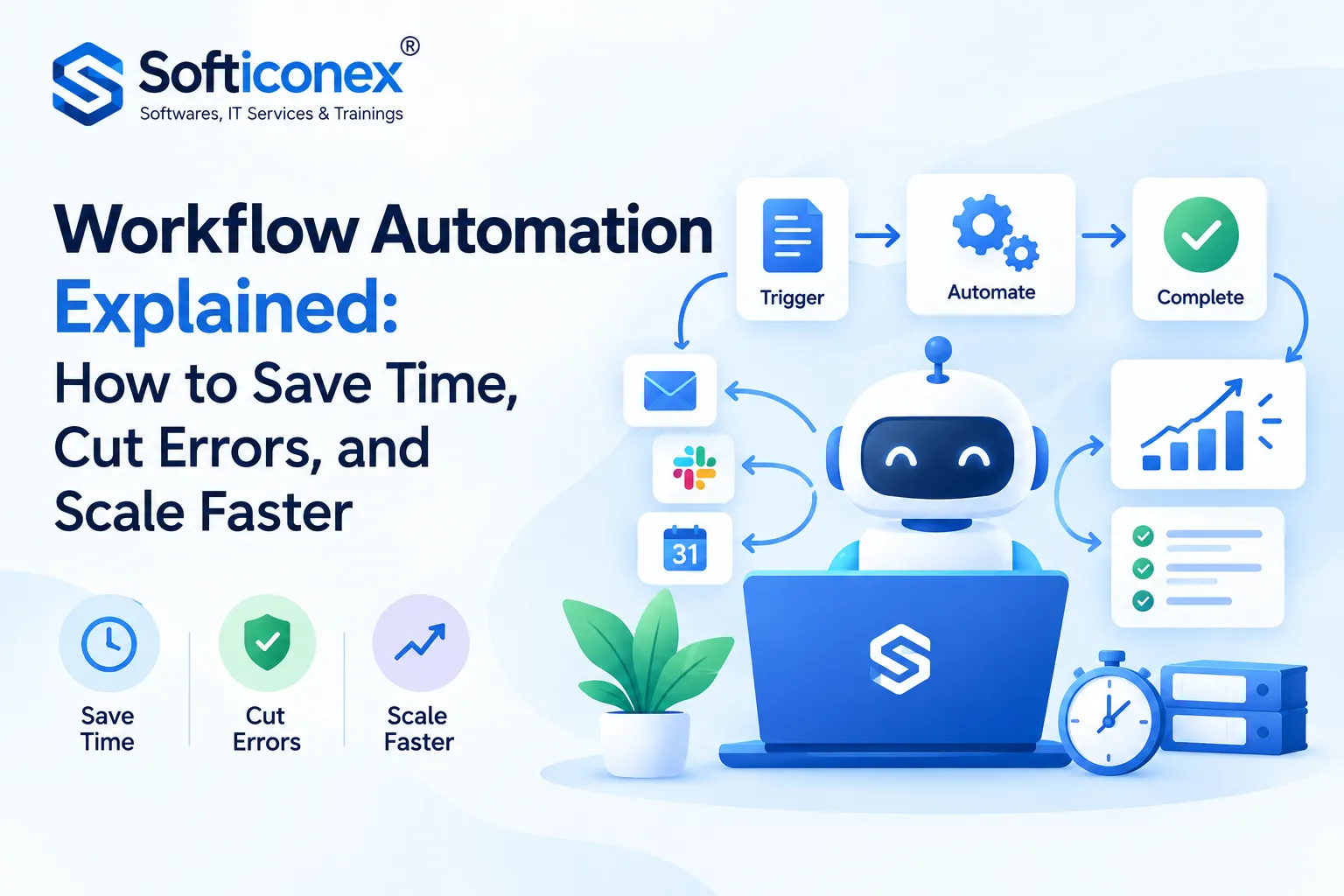
Most automated workflows follow a straightforward logic of trigger, conditions, actions, and outcomes.
- Trigger: An event starts the workflow. Examples include a form submission, a new email, a scheduled time, a database change, or a status update.
- Conditions (rules): The system evaluates “if/then” logic. For example, if an expense is above a set amount, then route it to a senior manager; otherwise approve automatically.
- Actions: The system performs tasks such as sending notifications, creating records, updating fields, generating documents, or calling another application.
- Handoffs and approvals: When human judgment is required, the workflow assigns a task to the right person, sets deadlines, and sends reminders.
- Completion and logging: The workflow finishes, records what happened, and may trigger further workflows or reports.
Modern platforms connect to other software through APIs (application programming interfaces) and webhooks, which allow different systems to exchange data automatically. This is what makes it possible for a workflow to span, for instance, an email service, a project management tool, an accounting package, and a messaging app.
4. Key Components of an Automated Workflow
- Triggers: The events that initiate the process.
- Business rules and logic: Conditions, branching paths, and calculations that determine what happens next.
- Actions: The specific operations the system executes.
- Integrations: Connections to the applications and data sources involved.
- Roles and permissions: Definitions of who can start, approve, edit, or view each step.
- Notifications and escalations: Alerts, reminders, and fallback paths when deadlines are missed.
- Data and forms: Structured inputs that ensure information is captured consistently.
- Monitoring and analytics: Dashboards and logs that show performance, bottlenecks, and failures.
- Error handling: Rules that define what the system does when something goes wrong, such as retrying a step or alerting an administrator.
5. Types of Workflow Automation
5.1 Sequential Workflows
Steps happen in a fixed order, one after another. Example: a purchase request moves from employee to manager to finance to procurement.
5.2 Parallel Workflows
Multiple steps run at the same time. Example: during employee onboarding, IT provisions equipment while HR prepares paperwork and the manager schedules orientation.
5.3 Rules-Driven (State Machine) Workflows
The path depends on the current status and the rules attached to it. Work can move forward, backward, or loop depending on conditions. Example: a support ticket that can be reopened if the customer replies after resolution.
5.4 Event-Driven Workflows
These run in response to real-time events instead of a fixed schedule. Example: an inventory system that triggers a reorder the moment stock drops below a threshold.
5.5 Scheduled Workflows
These run at set intervals. Example: generating a weekly sales report every Monday morning.
5.6 Human-in-the-Loop Workflows
Automation handles routine steps, while people make key decisions. This is common in approvals, compliance reviews, and exception handling.
6. Benefits of Workflow Automation
6.1 Increased Efficiency and Speed
Tasks that once took hours or days of waiting between handoffs can be completed in minutes. Automation also works around the clock, so processes are not limited to business hours.
6.2 Fewer Errors
Manual data entry is a common source of mistakes. Automated transfers apply the same logic every time, improving data accuracy and consistency.
6.3 Cost Savings
By reducing rework, delays, and repetitive labor, organizations can lower operating costs and redirect budget to growth initiatives.
6.4 Better Visibility and Accountability
Every step is tracked. Managers can see where work stands, who is responsible, and where bottlenecks occur, instead of chasing updates by email.
6.5 Improved Compliance and Auditability
Automated workflows enforce policies consistently and keep detailed logs, which simplifies audits and regulatory reporting.
6.6 Higher Employee Satisfaction
Teams spend less time on tedious tasks and more time on creative, strategic, and customer-facing work, which tends to improve engagement and retention.
6.7 Better Customer Experience
Faster responses, consistent communication, and fewer mistakes lead to more reliable service and higher satisfaction.
6.8 Scalability
An automated process can handle growing volumes without a proportional increase in headcount, making it easier to scale operations.
7. Common Use Cases by Department
Human Resources
- Employee onboarding and offboarding checklists
- Leave and time-off requests
- Performance review cycles
- Recruitment pipeline tracking and interview scheduling
Finance and Accounting
- Invoice capture, matching, and approval
- Expense report processing
- Purchase order approvals
- Payment reminders and reconciliation
Sales
- Lead capture, scoring, and assignment
- Quote and proposal generation
- Contract approvals and e-signatures
- Follow-up reminders and pipeline updates
Marketing
- Email nurture sequences
- Social media scheduling
- Campaign reporting
- Content approval workflows
Customer Support
- Ticket routing and prioritization
- Automated acknowledgments and status updates
- Escalation of overdue cases
- Customer feedback surveys after resolution
IT and Operations
- Access requests and account provisioning
- Incident management and alerting
- Software deployment pipelines
- Asset tracking and maintenance schedules
Legal and Compliance
- Contract review and approval routing
- Policy acknowledgment tracking
- Regulatory deadline reminders
Supply Chain and Procurement
- Supplier onboarding
- Inventory replenishment
- Order tracking and delivery notifications
8. Popular Workflow Automation Tools
The market offers options for every size and skill level. The categories below describe the main types; product names are mentioned only as widely known examples, and features and pricing change frequently, so always verify current details on each vendor’s website.
8.1 No-Code and Low-Code Integration Platforms
Designed for business users who want to connect apps without programming. Examples include Zapier, Make, and Microsoft Power Automate.
8.2 Work and Project Management Platforms with Built-In Automation
Tools such as Asana, monday.com, ClickUp, and Trello include automation rules for task assignment, status changes, and notifications.
8.3 Enterprise Workflow and BPM Suites
Suitable for complex, regulated, or large-scale processes. Examples include ServiceNow, Pega, Appian, and Camunda.
8.4 Robotic Process Automation Platforms
Useful when systems lack APIs. Examples include UiPath and Automation Anywhere.
8.5 Open-Source and Developer-Oriented Tools
For teams that want flexibility and control. Examples include n8n and Apache Airflow (commonly used for data pipelines).
8.6 Comparison of 20 Leading Workflow Automation Tools
The table below compares twenty widely used platforms across the factors most buyers weigh first. It is a general orientation based on how each vendor positions its product; plans, features, and pricing change often, so confirm current details on each vendor’s website before deciding.
| # | Tool | Category | Best for | Skill level | Deployment | Pricing model |
|---|---|---|---|---|---|---|
| 1 | Zapier | No-code app integration | Small teams connecting cloud apps quickly | No-code | Cloud | Tiered subscription, based on task volume |
| 2 | Make | Visual integration platform | Multi-branch scenarios with data transformation | No-code / low-code | Cloud | Tiered subscription, based on operations |
| 3 | Microsoft Power Automate | Low-code automation and RPA | Organizations using Microsoft 365 and Azure | Low-code | Cloud and desktop | Per-user or per-flow licensing |
| 4 | n8n | Open-source-style workflow builder | Technical teams wanting control and self-hosting | Low-code with custom code | Self-hosted or cloud | Free self-hosted option; paid cloud and enterprise plans |
| 5 | Workato | Enterprise integration and automation | Large organizations with many systems | Low-code | Cloud | Custom quote |
| 6 | Tray.ai | Enterprise integration and AI automation | Complex, API-heavy enterprise workflows | Low-code | Cloud | Custom quote |
| 7 | UiPath | Robotic process automation | Automating legacy and desktop applications | Low-code to pro-code | Cloud and on-premises | Subscription, by user and robot |
| 8 | Automation Anywhere | Robotic process automation | Enterprise bots and document automation | Low-code | Cloud and on-premises | Subscription, by bot and user |
| 9 | ServiceNow | Enterprise workflow platform | IT service, HR, and customer service workflows | Low-code to pro-code | Cloud | Custom quote, by user and module |
| 10 | Pega | Case management and BPM | Complex, regulated case-driven processes | Low-code | Cloud and on-premises | Custom quote |
| 11 | Appian | Low-code process automation | Process-centric apps with governance | Low-code | Cloud | Custom quote, by user or usage |
| 12 | Camunda | BPMN-based process orchestration | Developer-led orchestration of microservices | Pro-code with visual modeling | Self-managed or SaaS | Subscription or enterprise license |
| 13 | Asana | Work management | Team task and project workflows | No-code | Cloud | Per-user tiers |
| 14 | monday.com | Work management | Cross-team workflows with visual boards | No-code | Cloud | Per-seat tiers |
| 15 | ClickUp | Work management | Teams wanting tasks, docs, and automation in one place | No-code | Cloud | Per-user tiers, including a free plan |
| 16 | Airtable | Database with automations | Data-driven workflows and lightweight apps | No-code / low-code | Cloud | Per-seat tiers |
| 17 | Kissflow | Low-code workflow and approvals | Business-user-built approvals and forms | No-code / low-code | Cloud | Per-user subscription |
| 18 | Nintex | Process management and workflow | Document-centric and SharePoint-based processes | Low-code | Cloud and on-premises | Custom quote |
| 19 | IFTTT | Simple applet automation | Individuals and very small teams with simple triggers | No-code | Cloud | Free tier plus paid plans |
| 20 | Apache Airflow | Workflow orchestration for data | Data engineering pipelines and scheduled jobs | Pro-code (Python) | Self-managed or managed services | Free open-source software; infrastructure or managed service costs apply |
8.7 Tool Details: Profiles of All 20 Tools
Each profile summarizes what the tool is, where it shines, and where it may fall short.
1. Zapier
Overview: A long-established no-code platform that connects thousands of web apps through “Zaps,” each made of a trigger and one or more actions.
Strengths: Very fast to learn, a very large app catalog, and templates for common tasks. Suitable for non-technical staff.
Limitations: Costs can rise with high task volumes, and highly complex branching or heavy data handling can feel constrained.
Ideal use: Lead routing, notifications, form-to-spreadsheet flows, and simple cross-app syncing for small and mid-sized teams.
2. Make
Overview: A visual, canvas-style builder where users design “scenarios” with branching, iterators, and data mapping.
Strengths: Strong control over data transformation and complex logic, often at a lower entry cost than comparable tools.
Limitations: A steeper learning curve than the simplest tools, and large scenarios can become hard to read without good structure.
Ideal use: Multi-step marketing, e-commerce, and operations workflows that need conditional paths.
3. Microsoft Power Automate
Overview: Part of the Microsoft Power Platform, offering cloud flows, desktop flows for RPA, and process mining capabilities.
Strengths: Deep integration with Microsoft 365, Teams, SharePoint, Dynamics, and Azure, plus enterprise governance features.
Limitations: Licensing can be confusing, and the experience is strongest inside the Microsoft ecosystem.
Ideal use: Approvals, document handling, and desktop automation for organizations already standardized on Microsoft.
4. n8n
Overview: A node-based workflow tool that can be self-hosted or used as a hosted service, published under a source-available (“fair-code”) license.
Strengths: Flexibility, the option to run on your own infrastructure for data control, and the ability to add custom code and AI steps.
Limitations: Requires more technical skill, and self-hosting means you handle maintenance, security, and scaling. Review the license terms for commercial use.
Ideal use: Technical teams that want control, customization, and privacy-conscious automation.
5. Workato
Overview: An enterprise integration and automation platform built around reusable “recipes” and a large library of connectors.
Strengths: Strong governance, security, and scalability, and good support for connecting many enterprise systems.
Limitations: Typically priced for larger organizations, with quote-based pricing that may be out of reach for small teams.
Ideal use: Cross-department automation spanning CRM, ERP, HR, and finance systems.
6. Tray.ai
Overview: A low-code enterprise platform focused on API-driven integration and automation, including AI-enabled capabilities.
Strengths: Flexible handling of complex data and API logic, suitable for technically capable operations teams.
Limitations: Aimed at mid-to-large organizations, with custom pricing and a learning curve beyond basic no-code tools.
Ideal use: Complex, high-volume integrations where standard connectors need extension.
7. UiPath
Overview: A leading robotic process automation platform that also covers process mining, document understanding, and orchestration.
Strengths: Powerful bots for legacy and desktop applications, a large community, and training resources.
Limitations: Can be complex and costly to scale, and both maintenance is needed when user interfaces change.
Ideal use: Automating systems that lack APIs, such as older finance and back-office applications.
8. Automation Anywhere
Overview: A cloud-native RPA and automation platform with bots, document automation, and AI-assisted features.
Strengths: Enterprise-grade management, strong document processing, and a cloud-first architecture.
Limitations: Requires planning and skilled developers for large rollouts, and pricing is generally aimed at enterprises.
Ideal use: Large-scale automation of repetitive back-office tasks with centralized governance.
9. ServiceNow
Overview: An enterprise cloud platform best known for IT service management, extending into HR, customer service, and general workflow applications.
Strengths: A unified platform, strong workflow engine, extensive audit trails, and wide enterprise adoption.
Limitations: High cost and implementation effort, and usually needs specialist administrators.
Ideal use: Enterprise service management, incident handling, and cross-functional requests.
10. Pega
Overview: A platform specializing in case management, decisioning, and process automation for complex business operations.
Strengths: Handles long-running, exception-heavy cases well, with built-in decision logic and strong compliance support.
Limitations: Significant investment and expertise are needed, and it is generally unsuitable for simple automations.
Ideal use: Claims processing, onboarding, and regulated customer-service processes in large organizations.
11. Appian
Overview: A low-code platform combining process automation, case management, data fabric, and application building.
Strengths: Visual design tools, strong governance, and the ability to build full process applications, not just automations.
Limitations: Enterprise pricing, and smaller teams may find it more than they need.
Ideal use: Process-centric applications such as approvals, onboarding, and operations management with audit requirements.
12. Camunda
Overview: A process orchestration platform built on the BPMN and DMN modeling standards, available as SaaS or self-managed.
Strengths: Standards-based models that business and technical staff can share, and strong orchestration of microservices and APIs.
Limitations: Developer involvement is generally required, so it is not a fit for purely no-code teams.
Ideal use: Developer-led, scalable orchestration of end-to-end processes across services.
13. Asana
Overview: A work management tool with rules, templates, and a workflow builder to automate task assignment, status changes, and approvals.
Strengths: Clear task ownership, an approachable interface, and quick adoption by project teams.
Limitations: Automations are focused on work inside Asana, and deeper cross-system integration may need another tool.
Ideal use: Campaign management, project intake, and team request handling.
14. monday.com
Overview: A visual work management platform with customizable boards and recipe-style automations.
Strengths: Highly visual, flexible for many departments, and easy for non-technical users to configure.
Limitations: Automation limits depend on the plan, and boards can become cluttered without governance.
Ideal use: Cross-team tracking, sales pipelines, and operations workflows with visual status views.
15. ClickUp
Overview: An all-in-one productivity platform combining tasks, documents, goals, and a rules-based automation builder.
Strengths: A broad feature set and a free tier, which makes it attractive for budget-conscious teams.
Limitations: The large feature set can feel overwhelming, and automation limits vary by plan.
Ideal use: Small and mid-sized teams that want one workspace for work and automation.
16. Airtable
Overview: A spreadsheet-style database with an automation builder, interfaces, and scripting options.
Strengths: Flexible data modeling, user-friendly views, and custom logic through scripting when needed.
Limitations: Large datasets and very complex logic can hit plan limits, and costs grow with seats.
Ideal use: Content calendars, inventory tracking, lightweight CRMs, and data-driven approvals.
17. Kissflow
Overview: A low-code platform focused on forms, approvals, and workflows built by business users.
Strengths: Simple process design, ready-made templates for common workflows, and a gentle learning curve.
Limitations: Less suited to highly technical or deeply customized enterprise integration.
Ideal use: Leave requests, purchase approvals, and other form-driven internal processes.
18. Nintex
Overview: A process management and automation platform with workflow design, forms, document generation, and e-signature capabilities.
Strengths: Strong in document-centric workflows and well suited to organizations using SharePoint and Microsoft tools.
Limitations: Quote-based pricing, and the product range can take time to evaluate.
Ideal use: Contract, policy, and document approval processes with e-signature needs.
19. IFTTT
Overview: A simple platform built around “applets” that connect services using an if-this-then-that rule.
Strengths: Extremely easy to use, with a free tier and strong coverage of consumer and smart-device services.
Limitations: Limited depth for multi-step business logic, governance, and enterprise controls.
Ideal use: Personal productivity, social posting, smart-home triggers, and very simple small-business tasks.
20. Apache Airflow
Overview: An open-source orchestration framework in which workflows are defined as Python code in directed acyclic graphs (DAGs).
Strengths: Powerful scheduling, extensibility, and a large community, with no license fee for the software.
Limitations: Requires programming skills and infrastructure management, and it is built for data and batch workflows rather than business-user approvals.
Ideal use: Data engineering pipelines, scheduled ETL process and jobs, and machine learning workflow orchestration.
Quick Selection Guide
| If you need… | Consider |
|---|---|
| Quick, no-code app connections | Zapier, Make, IFTTT |
| Microsoft-centric automation | Power Automate, Nintex |
| Self-hosting and flexibility | n8n, Camunda, Apache Airflow |
| Automating legacy desktop software | UiPath, Automation Anywhere, Power Automate |
| Enterprise-wide process and service management | ServiceNow, Pega, Appian |
| Large-scale enterprise integration | Workato, Tray.ai |
| Task and project workflows | Asana, monday.com, ClickUp, Airtable |
| Form-based approvals by business users | Kissflow, Nintex |
| Developer-led orchestration | Camunda, Apache Airflow |
Product names belong to their respective owners and are mentioned for identification only. Descriptions are general summaries in the author’s own words; verify current features, licensing, and pricing with each vendor before purchase.
8.8 How to Choose the Right Tool
| Criterion | Questions to Ask |
|---|---|
| Ease of use | Can non-technical staff build and maintain workflows? |
| Integrations | Does it connect to the systems you already use? |
| Scalability | Can it handle higher volumes and more complex logic later? |
| Security | Does it offer encryption, role-based access, and audit logs? |
| Compliance | Does it support requirements such as GDPR, HIPAA, or SOC 2 where relevant? |
| Cost model | Is pricing per user, per task, or per workflow, and how will it scale? |
| Support and community | Are documentation, training, and responsive support available? |
| Flexibility | Can you add custom code or connect via APIs when needed? |
9. How to Implement Workflow Automation: Step by Step
Step 1: Define Goals
Start with the business outcome, not the technology. Are you trying to cut processing time, reduce errors, improve compliance, or lower costs? Clear goals guide every later decision.
Step 2: Identify Candidate Processes
The best candidates are tasks that are:
- Repetitive and rule-based
- High in volume
- Prone to errors or delays
- Dependent on multiple handoffs
- Well understood and stable
Avoid starting with a process that is poorly defined, constantly changing, or politically contentious.
Step 3: Map the Current Process
Document how the work actually happens today, including who does what, which tools are used, how long each step takes, and where delays occur. Interview the people who do the work, since official procedures often differ from reality. Flowcharts or swimlane diagrams are useful here.
Step 4: Simplify Before Automating
Automating a flawed process only makes the flaws faster. Remove unnecessary steps, consolidate approvals, and clarify responsibilities before building anything.
Step 5: Design the Future-State Workflow
Define triggers, rules, approvals, exceptions, notifications, and success criteria. Decide where humans must stay involved and what should happen when something fails.
Step 6: Select Tools and Plan Integrations
Choose a platform using the criteria in Section 8. Confirm that the systems involved can connect securely and that data formats are compatible.
Step 7: Build and Test a Pilot
Start small with one workflow or one team. Test with realistic data, including edge cases and failure scenarios. Collect feedback from the people who will use it.
Step 8: Train Users and Manage Change
People adopt automation when they understand why it exists and how it helps them. Provide training, explain what changes, and address concerns openly, including worries about job impact.
Step 9: Deploy and Monitor
Roll out in stages. Track performance, error rates, and user feedback closely during the first weeks.
Step 10: Optimize and Scale
Use the data to refine rules, remove bottlenecks, and extend automation to additional processes. Maintain documentation and assign clear ownership for every workflow.
10. Best Practices
- Start small and prove value: Quick wins build credibility and momentum.
- Involve the people doing the work: Front-line employees know the real pain points.
- Keep workflows simple: Overly complex logic is harder to maintain and troubleshoot.
- Use clear naming and documentation: Future administrators should understand what each workflow does and why.
- Build in error handling: Plan for retries, alerts, and manual fallbacks.
- Keep humans in control of critical decisions: Automate routine steps, not judgment-heavy ones.
- Apply security by design: Use least-privilege access, protect credentials, and review integrations regularly.
- Version and test changes: Treat workflow updates with the same care as software updates.
- Assign ownership: Every workflow needs a responsible owner who reviews it periodically.
- Review regularly: Business needs change, so revisit workflows to ensure they remain relevant and efficient.
11. Challenges and Risks
| Challenge | Description | How to Mitigate |
|---|---|---|
| Automating a bad process | Inefficiencies are scaled rather than solved | Redesign and simplify first |
| Employee resistance | Fear of job loss or distrust of new systems | Communicate early, involve teams, retrain and upskill |
| Integration complexity | Legacy or incompatible systems are hard to connect | Use APIs, middleware, or RPA where needed; plan integrations early |
| Data quality issues | Poor input data produces poor automated output | Validate data at entry and clean existing records |
| Security and privacy risks | More systems connected means more exposure | Enforce access controls, encryption, and regular audits |
| Over-automation | Removing human judgment where it matters | Keep approval and exception steps with people |
| Workflow sprawl | Many unmanaged, undocumented automations | Establish governance, naming standards, and an inventory |
| Vendor lock-in | Difficulty moving away from a platform | Favor open standards and exportable configurations |
| Maintenance burden | Workflows break when connected tools change | Monitor, assign owners, and schedule reviews |
12. Measuring Success: KPIs and ROI
Key Performance Indicators
- Cycle time: How long a process takes from start to finish.
- Throughput: Number of items processed in a given period.
- Error rate: Percentage of items needing correction or rework.
- Cost per transaction: Total process cost divided by volume.
- SLA compliance: Share of work completed within agreed timeframes.
- Employee time saved: Hours returned to higher-value work.
- User and customer satisfaction: Feedback scores before and after automation.
Calculating ROI
A simple approach:
ROI (%) = ((Total Benefits − Total Costs) ÷ Total Costs) × 100
- Benefits include labor time saved, reduced errors and rework, faster revenue cycles, and avoided penalties.
- Costs include software licenses, implementation, integration, training, and ongoing maintenance.
Illustrative example (hypothetical numbers): A finance team spends 200 hours per month processing invoices at an average loaded cost of 25 per hour, or 5,000 per month. Automation reduces this effort by 60 percent, saving 3,000 per month, or 36,000 per year. If the first-year cost of tools and setup is 12,000, the ROI is ((36,000 − 12,000) ÷ 12,000) × 100 = 200 percent. Actual results vary widely by organization and process.
Remember to capture a baseline before automating so improvements can be measured credibly.
13. Workflow Automation and AI
Traditional automation follows fixed rules. Artificial intelligence expands what can be automated by handling unstructured information and ambiguous decisions.
- Document processing: AI can extract data from invoices, contracts, and forms, even when layouts vary.
- Intelligent routing: Machine learning can classify emails, tickets, or requests and send them to the right team.
- Natural language interfaces: Users can describe a workflow in plain language and have a system help build it.
- Predictive insights: Models can forecast delays, flag anomalies, or recommend next actions.
- AI agents: Emerging systems can plan and carry out multi-step tasks across tools, with appropriate oversight.
This combination is often called intelligent automation or hyperautomation. Because AI outputs can be imperfect, organizations should apply human review for high-stakes decisions, monitor accuracy, and maintain transparency about how automated decisions are made.
14. Future Trends
- Wider AI integration: More workflows will include AI steps for classification, summarization, and decision support.
- Citizen development: Business users, not only IT, will build and maintain automations, supported by governance frameworks.
- Process mining: Tools that analyze system event data will help discover real processes and identify what to automate.
- Composable and API-first architectures: Organizations will assemble workflows from modular services.
- Greater emphasis on governance and ethics: Expect more focus on security, explainability, privacy, and responsible AI use.
- Hybrid human-automation teams: Roles will shift toward oversight, exception handling, and continuous improvement.
- Industry-specific templates: Prebuilt workflows for sectors like healthcare, finance, and logistics will shorten implementation time.
15. Frequently Asked Questions
Q1. What is workflow automation in simple terms?
It is using software to carry out the steps of a repeatable process automatically, such as routing approvals, sending notifications, and moving data between apps, so people do not have to do each step manually.
Q2. What is the difference between workflow automation and RPA?
Workflow automation coordinates a sequence of tasks and approvals across people and systems. RPA uses software bots to imitate human actions on a screen, which is especially helpful when a system has no API. The two are often used together.
Q3. Which processes are best to automate first?
Choose repetitive, high-volume, rule-based processes with clear steps and measurable pain points, such as invoice approvals, onboarding checklists, or lead routing.
Q4. Do I need coding skills to automate workflows?
Not necessarily. Many no-code and low-code platforms use visual builders. Complex or highly customized workflows may still benefit from developer support.
Q5. Will workflow automation replace jobs?
Automation tends to change roles more than eliminate them, shifting people away from repetitive tasks toward analysis, communication, and problem-solving. Some roles may be affected, so reskilling and transparent communication are important.
Q6. How much does workflow automation cost?
Costs vary widely. Some tools offer free or low-cost tiers for small teams, while enterprise platforms involve substantial licensing and implementation fees. Consider total cost, including integration, training, and maintenance.
Q7. How long does implementation take?
A simple workflow can be live in days or even hours. Complex, cross-department automation may take several months, including mapping, testing, and training.
Q8. Is workflow automation secure?
It can be, if the platform provides encryption, access controls, and audit logs, and if your organization follows good practices such as least-privilege permissions and regular reviews. Always evaluate vendor security and compliance documentation.
Q9. How do I measure whether automation is working?
Compare metrics such as cycle time, error rate, cost per transaction, and employee hours saved against a baseline recorded before automation.
Q10. Can small businesses benefit from workflow automation?
Yes. Small businesses often gain quickly from automating invoicing, customer follow-ups, scheduling, and reporting, which frees limited staff time.
Q11. What are common reasons automation projects fail?
Typical causes include unclear goals, automating broken processes, poor change management, weak data quality, and lack of ownership after launch.
Q12. How does AI change workflow automation?
AI allows workflows to handle unstructured content and make probabilistic decisions, such as reading documents or classifying requests, though human oversight remains important for critical outcomes.
16. Conclusion
Workflow automation is no longer a luxury reserved for large enterprises. It is a practical way for organizations of any size to reduce manual effort, improve accuracy, speed up delivery, and gain visibility into how work gets done. Success depends less on the sophistication of the software and more on disciplined fundamentals: clear goals, well-understood and simplified processes, thoughtful tool selection, strong change management, and continuous measurement.
Begin with a single, well-chosen process, prove the value, learn from the results, and expand steadily. As AI capabilities mature, the opportunity will only grow, but the guiding principle will remain the same: let technology handle the routine so people can focus on work that requires creativity, judgment, and human connection.