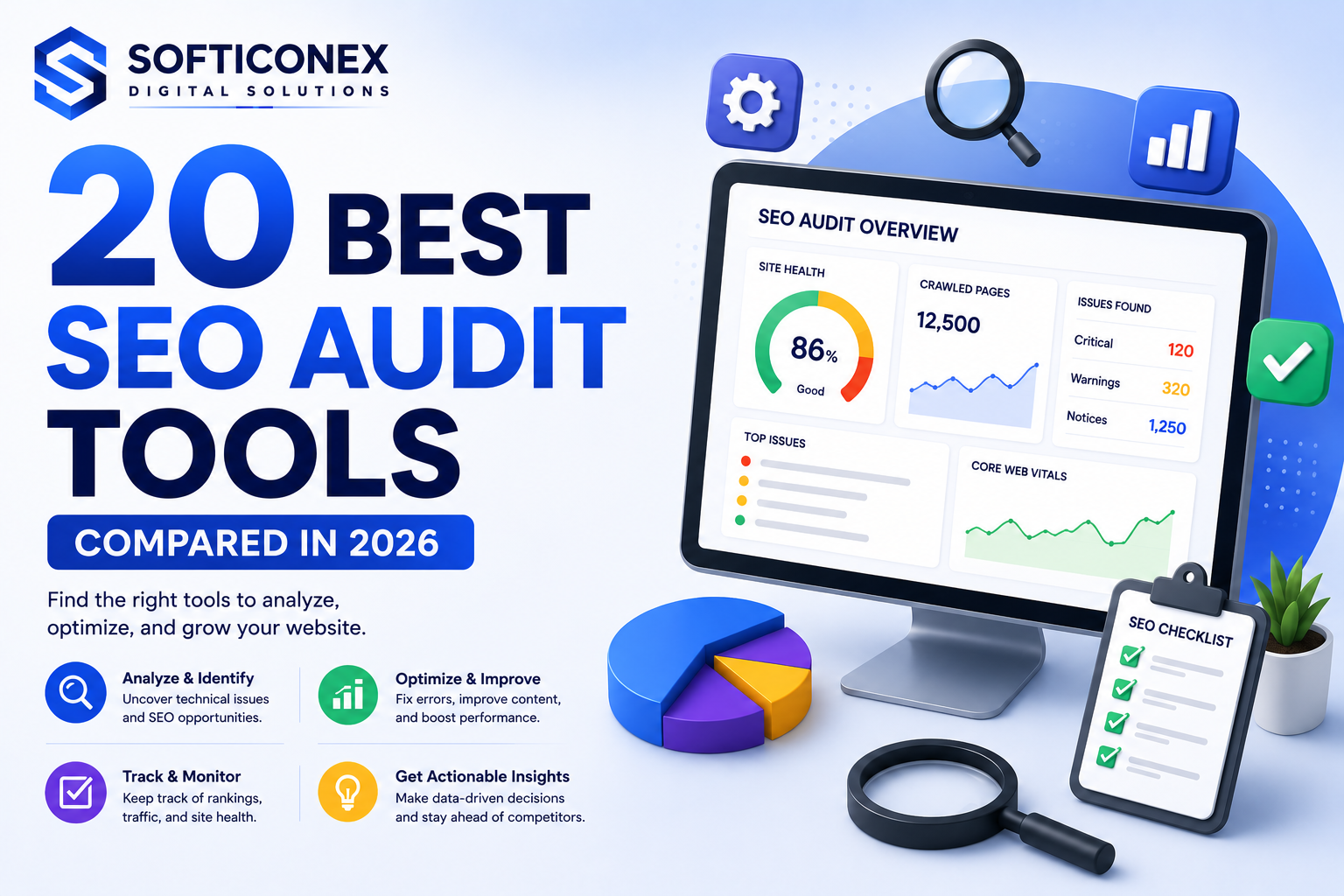
Ignoring technical SEO problems quietly costs websites traffic every single day. A single missed no-index tag or a slow loading page can undo months of content work without anyone noticing until rankings already drop.
SEO audit tools catch these problems early by scanning a website for crawl errors, broken links, indexing issues, and performance problems that hurt both rankings and user experience.
This guide compares 20 of the most trusted SEO audit tools available today, based on real testing rather than marketing claims. You will find honest pros, cons, pricing, and a genuine use case for each tool, along with guidance on choosing the right one for your specific website and budget.
What Is an SEO Audit Tool?
An SEO audit tool scans a website to identify technical, on-page, and performance issues that could be limiting search visibility. It typically crawls pages the way a search engine would, then reports problems like broken links, missing metadata, and slow loading times.
Some tools focus narrowly on technical crawling, while others combine audits with keyword research, rank tracking, and content analysis in one platform.
Why SEO Audits Are Essential for Modern Websites
• Technical SEO issues like crawl errors and indexing problems that block pages from ranking at all
• Onpage SEO gaps such as missing titles, meta descriptions, or thin content
• Site speed problems that hurt both rankings and user experience
• User experience issues that increase bounce rate and reduce conversions
• Indexability concerns that keep valuable pages out of search results entirely
• Mobile optimization gaps that matter since most search traffic now comes from mobile devices
How We Evaluated the SEO Audit Tools
Every tool on this list was tested using live websites rather than demo accounts alone, then reviewed against six consistent criteria.
• Accuracy of issue detection compared with manual verification
• Crawl depth and how completely the tool covers large websites
• Reporting capabilities, including clarity and export options
• Ease of use for both beginners and experienced professionals
• Pricing relative to the features included
• Integrations with other SEO and analytics platforms
20 Best SEO Audit Tools Compared
The tools below range from free official platforms to enterprise scale crawlers. Each entry includes honest strengths and weaknesses based on genuine testing.
1. Screaming Frog SEO Spider
Overview: Screaming Frog is a desktop crawler trusted by SEO professionals for deep, customizable technical audits of any size website.
Key Features:
• Full site crawling with customizable extraction rules
• Broken link and redirect chain detection
• XML sitemap generation
• Integration with Google Analytics and Search Console
Pros: Extremely detailed crawl data, highly customizable, one time low cost for the paid license.
Cons: Requires local processing power for very large sites, and the interface feels technical for beginners.
Pricing: Free for up to 500 URLs, with a paid license near $259 per year for unlimited crawling.
Real World Use Case: An agency used Screaming Frog to find over 300 broken internal links across a client’s ecommerce site during a quarterly audit.
Expert Recommendation: A must have tool for any SEO professional who needs full control over crawl settings and raw data.
2. Ahrefs Site Audit
Overview: Ahrefs Site Audit runs inside the broader Ahrefs platform, combining technical crawling with the same trusted backlink and keyword data the tool is known for.
Key Features:
• Scheduled automatic crawls
• Site health score tracking over time
• Issue prioritization by impact
• Integration with Ahrefs keyword and backlink data
Pros: Clear, prioritized issue reporting and strong integration with existing Ahrefs research data.
Cons: Only available as part of a paid Ahrefs subscription, not a standalone product.
Pricing: Included in Ahrefs plans starting near $129 per month.
Real World Use Case: A content team used the site health score to track technical improvements over six months, watching it rise from 72 to 91.
Expert Recommendation: A strong choice for teams already using Ahrefs for keyword and backlink research.
3. Semrush Site Audit
Overview: Semrush Site Audit offers a thorough technical crawl within the larger Semrush suite, making it convenient for teams that want SEO research and audits in one place.
Key Features:
• Over 140 technical and onpage checks
• Core Web Vitals reporting
• Crawlability and indexability analysis
• White label reporting for agencies
Pros: Wide range of checks, clear reporting, and useful for agencies managing multiple client sites.
Cons: Full value depends on already using or wanting the broader Semrush platform.
Pricing: Included in Semrush plans starting near $139 per month.
Real World Use Case: An agency used the white label report feature to deliver monthly technical audits to twelve clients without manual formatting.
Expert Recommendation: A solid all in one option for agencies that want audits alongside keyword and competitor research.
4. Google Search Console
Overview: Google Search Console is Google’s own free tool showing exactly how Google sees and indexes a website, including real search performance data.
Key Features:
• Index coverage and crawl error reports
• Core Web Vitals data straight from Google
• Manual action and security issue alerts
• Direct URL inspection tool
Pros: Completely free, official data straight from Google, essential for confirming indexing status.
Cons: Limited crawling depth compared with dedicated audit tools and a steeper learning curve for report interpretation.
Pricing: Free for any verified website.
Real World Use Case: A blogger used Search Console to discover that a key landing page had been accidentally excluded from indexing after a site migration.
Expert Recommendation: Every website owner should set this up, regardless of which other audit tools they use.
5. Sitebulb
Overview: Sitebulb combines detailed crawling with visual reports designed to make technical SEO easier to explain to non technical stakeholders.
Key Features:
• Visual site architecture mapping
• Prioritized hint system for common issues
• Chrome based rendering for JavaScript heavy sites
• Detailed internal linking analysis
Pros: Clear visual reporting makes it easy to present findings to clients or team members.
Cons: Desktop based crawling can be slower on very large websites compared with cloud based tools.
Pricing: Plans start near $35 per month.
Real World Use Case: A consultant used Sitebulb’s visual reports to help a client’s leadership team understand why fixing internal linking mattered, without technical jargon.
Expert Recommendation: A great option for consultants who need to present technical findings clearly to non technical audiences.
6. SE Ranking
Overview: SE Ranking offers a budget friendly audit tool combined with rank tracking and reporting, appealing to smaller agencies and freelancers.
Key Features:
• Scheduled site audits
• Rank tracking alongside audit data
• White label reporting
• Backlink monitoring
Pros: Affordable pricing with a solid range of features for the cost.
Cons: Crawl depth and reporting detail fall slightly behind more expensive dedicated audit tools.
Pricing: Plans start near $65 per month.
Real World Use Case: A freelance consultant used SE Ranking to manage audits and reporting for eight small business clients within a single affordable plan.
Expert Recommendation: A smart budget pick for freelancers and small agencies managing several client sites.
7. Moz Pro
Overview: Moz Pro pairs a straightforward site audit with beginner friendly explanations, making it approachable for people newer to technical SEO.
Key Features:
• Site crawl with plain language issue explanations
• On page grader for individual pages
• Rank tracking integration
• Domain authority and page authority scoring
Pros: Clear explanations that help beginners understand why an issue matters, not just that it exists.
Cons: Crawl depth and advanced technical features lag behind more specialized tools.
Pricing: Plans start near $99 per month.
Real World Use Case: A small business owner used Moz Pro’s plain language reports to understand and fix missing meta descriptions without hiring outside help.
Expert Recommendation: A good starting point for beginners who want an audit tool that also teaches SEO concepts along the way.
8. JetOctopus
Overview: JetOctopus specializes in log file analysis alongside standard crawling, giving larger sites insight into exactly how search engines actually crawl their pages.
Key Features:
• Log file analysis for real crawl behavior
• Large scale crawling for enterprise sites
• Indexation and crawl budget insights
• Segment based reporting
Pros: Strong for understanding real crawler behavior, not just simulated crawls.
Cons: Log file analysis requires technical setup that smaller sites may not need.
Pricing: Plans start near $30 per month.
Real World Use Case: A large publisher used JetOctopus log data to discover that Googlebot was spending crawl budget on outdated tag pages instead of new articles.
Expert Recommendation: Best suited for large sites where crawl budget genuinely affects how quickly new content gets indexed.
9. Deepcrawl now Lumar
Overview: Deepcrawl, now operating as Lumar, focuses on enterprise scale technical audits with strong data visualization for very large websites.
Key Features:
• Enterprise scale crawling across millions of URLs
• Custom reporting dashboards
• Integration with enterprise data pipelines
• Change monitoring between crawls
Pros: Built to handle massive websites that smaller tools struggle to crawl completely.
Cons: Custom pricing and setup complexity make it impractical for small or medium sites.
Pricing: Custom enterprise pricing based on site size and needs.
Real World Use Case: An enterprise retailer used Lumar to track technical health across a website with over two million indexed pages.
Expert Recommendation: Reserved for large enterprise sites needing serious crawl scale and custom reporting.
10. Serpstat
Overview: Serpstat combines a technical audit tool with keyword research and competitor analysis at a lower price point than many larger platforms.
Key Features:
• Site audit with prioritized issue lists
• Keyword and competitor research
• Rank tracking
• Backlink analysis
Pros: Affordable all in one platform for teams that want research and audits together.
Cons: Interface feels less polished compared with premium tools like Semrush or Ahrefs.
Pricing: Plans start near $69 per month.
Real World Use Case: A small marketing team used Serpstat to combine keyword research and technical audits within one budget friendly subscription.
Expert Recommendation: A practical option for teams wanting research and audit features without a premium price tag.
11. Raven Tools
Overview: Raven Tools focuses on agency reporting, combining a site audit with client friendly dashboards designed for regular reporting cycles.
Key Features:
• Site audit with issue tracking
• White label client dashboards
• Social media and backlink reporting
• Custom report scheduling
Pros: Strong reporting focus, useful for agencies managing recurring client updates.
Cons: Technical crawl depth is lighter compared with specialized crawlers like Screaming Frog.
Pricing: Plans start near $79 per month.
Real World Use Case: An agency used Raven Tools to automate monthly client reports, cutting manual reporting time significantly.
Expert Recommendation: Best for agencies prioritizing client reporting over deep technical crawl detail.
12. WooRank
Overview: WooRank offers a quick, approachable website health check that summarizes key SEO issues in an easy to understand format.
Key Features:
• Instant onpage health check
• Marketing checklist for small sites
• Competitor comparison snapshots
• Simple scoring system
Pros: Fast, beginner friendly results without requiring a long crawl setup.
Cons: Less depth for large or complex websites needing detailed technical analysis.
Pricing: Plans start near $79 per month.
Real World Use Case: A small business owner used WooRank for a quick health check before hiring an SEO consultant, arriving at the meeting already informed.
Expert Recommendation: A convenient option for a fast, surface level check rather than deep technical auditing.
13. SEO PowerSuite
Overview: SEO PowerSuite is a desktop based suite covering site audits, rank tracking, and link research in one downloadable package.
Key Features:
• Desktop based site audit module
• Rank tracking across search engines
• Backlink research tools
• One time license option
Pros: One time purchase option avoids ongoing subscription costs for budget conscious users.
Cons: Desktop software feels dated compared with modern cloud based platforms.
Pricing: A free tier is available, with paid licenses near $299 per year.
Real World Use Case: A freelance SEO consultant used the one time license option to avoid recurring subscription costs across multiple small client projects.
Expert Recommendation: Worth considering for budget conscious users who prefer owning software instead of a subscription.
14. OnCrawl
Overview: OnCrawl specializes in large scale technical SEO analysis, combining crawl data with log files for enterprise level insight.
Key Features:
• Enterprise scale crawling and log analysis
• Structured data validation
• Content quality scoring
• Custom API access for data integration
Pros: Deep enterprise level insight combining crawl and log data in one platform.
Cons: Custom pricing and complexity make it unsuitable for small sites or beginners.
Pricing: Custom pricing based on site scale and feature needs.
Real World Use Case: A large media company used OnCrawl to correlate content quality scores with actual organic traffic across thousands of articles.
Expert Recommendation: Best suited for enterprise teams with dedicated technical SEO resources.
15. ContentKing
Overview: ContentKing monitors a website continuously rather than through periodic crawls, alerting teams the moment a technical issue appears.
Key Features:
• Real time change monitoring
• Instant alerts for critical issues
• Historical change log
• Integration with popular CMS platforms
Pros: Catches issues immediately instead of waiting for the next scheduled audit.
Cons: Higher cost compared with tools that only offer periodic crawling.
Pricing: Plans start near $99 per month.
Real World Use Case: An ecommerce team received an instant alert when a developer accidentally added a noindex tag to fifty product pages, fixing it within the hour.
Expert Recommendation: Ideal for sites where technical mistakes could quickly cost significant organic traffic.
16. Google PageSpeed Insights
Overview: Google PageSpeed Insights measures page speed and Core Web Vitals using Google’s own real world and lab based data.
Key Features:
• Core Web Vitals scoring
• Field data from real Chrome users
• Specific improvement suggestions
• Mobile and desktop scoring
Pros: Free, official Google data, and directly tied to ranking relevant performance signals.
Cons: Only analyzes one page at a time, without full site crawling.
Pricing: Free for any website.
Real World Use Case: A developer used PageSpeed Insights to identify a render blocking script that was slowing down the homepage’s largest contentful paint.
Expert Recommendation: Essential for checking Core Web Vitals on key pages, though it should be paired with a full site crawler.
17. GTmetrix
Overview: GTmetrix provides detailed page speed diagnostics with waterfall charts that show exactly what slows a page down.
Key Features:
• Detailed waterfall loading charts
• Historical performance tracking
• Video playback of page load
• Multiple test locations
Pros: Very detailed speed diagnostics that go deeper than many built in browser tools.
Cons: Free tier has limited test locations and monitoring frequency.
Pricing: A free tier is available, with paid plans starting near $15 per month.
Real World Use Case: A developer used GTmetrix’s waterfall chart to pinpoint a slow third party script that was delaying full page load by several seconds.
Expert Recommendation: A strong companion tool for teams focused specifically on page speed optimization.
18. WebSite Auditor
Overview: WebSite Auditor focuses on on-page optimization audits, checking individual pages against target keywords and competitor benchmarks.
Key Features:
• Onpage optimization scoring
• Keyword usage analysis per page
• Content editor with live suggestions
• Competitor page comparison
Pros: Clear, actionable on-page suggestions tied directly to a target keyword.
Cons: Less focused on deep technical crawling compared with dedicated site crawlers.
Pricing: A free tier is available, with paid licenses near $299 per year.
Real World Use Case: A blogger used WebSite Auditor to identify missing header tags and thin content on several older posts before a content refresh.
Expert Recommendation: Useful as a focused on-page companion alongside a broader technical crawl tool.
19. Bing Webmaster Tools
Overview: Bing Webmaster Tools mirrors many of Google Search Console’s features but focuses on how Bing indexes and ranks a website.
Key Features:
• Bing specific index coverage reports
• Backlink data from Bing’s index
• Keyword research tool
• SEO reports with actionable suggestions
Pros: Completely free and gives visibility into a search engine many tools ignore.
Cons: Smaller market share means less overall traffic impact compared with Google focused tools.
Pricing: Free for any verified website.
Real World Use Case: A business owner used Bing Webmaster Tools to fix indexing issues that were quietly limiting visibility in Bing search results.
Expert Recommendation: Worth setting up alongside Google Search Console for complete search engine coverage.
20. Ryte
Overview: Ryte combines technical SEO auditing with content quality analysis, aiming to connect technical health with actual content performance.
Key Features:
• Technical crawl and content quality scoring
• Content success monitoring over time
• Duplicate content detection
• Structured data validation
Pros: Useful combination of technical and content focused analysis in one platform.
Cons: Smaller user community compared with larger, more established tools.
Pricing: Plans start near $99 per month.
Real World Use Case: A content team used Ryte to identify duplicate content across similar category pages that had been quietly splitting ranking signals.
Expert Recommendation: A solid choice for teams wanting technical audits paired with content quality insight.
Comparison Table of All SEO Audit Tools
| Tool Name | Starting Price | Crawl Limits | Best Use Case | Technical Features | Ease of Use |
| Screaming Frog SEO Spider | Free up to 500 URLs, paid near $259 per year | 500 URLs free, unlimited paid | Deep technical crawling | Strong | Moderate |
| Ahrefs Site Audit | Included in Ahrefs plans from near $129 per month | Based on plan tier | Ongoing site health monitoring | Strong | Easy |
| Semrush Site Audit | Included in Semrush plans from near $139 per month | Based on plan tier | All in one SEO and audit platform | Strong | Easy |
| Google Search Console | Free | Entire indexed site | Official indexing and search data | Moderate | Easy |
| Sitebulb | Starts near $35 per month | Based on plan tier | Visual technical audit reporting | Strong | Moderate |
| SE Ranking | Starts near $65 per month | Based on plan tier | Budget friendly all in one audits | Moderate | Easy |
| Moz Pro | Starts near $99 per month | Based on plan tier | Beginner friendly SEO reporting | Moderate | Easy |
| JetOctopus | Starts near $30 per month | Based on plan tier | Large site log file analysis | Strong | Moderate |
| Deepcrawl now Lumar | Custom enterprise pricing | Enterprise scale | Enterprise technical audits | Strong | Advanced |
| Serpstat | Starts near $69 per month | Based on plan tier | Budget friendly audit and research | Moderate | Easy |
| Raven Tools | Starts near $79 per month | Based on plan tier | Agency client reporting | Moderate | Easy |
| WooRank | Starts near $79 per month | Based on plan tier | Quick onpage health checks | Moderate | Easy |
| SEO PowerSuite | Free tier available, paid near $299 per year | Based on plan tier | Desktop based full SEO suite | Strong | Moderate |
| OnCrawl | Custom pricing | Enterprise scale | Large scale technical SEO analysis | Strong | Advanced |
| ContentKing | Starts near $99 per month | Based on plan tier | Real time SEO monitoring | Strong | Moderate |
| Google PageSpeed Insights | Free | Single page at a time | Core Web Vitals and speed testing | Moderate | Easy |
| GTmetrix | Free tier available, paid near $15 per month | Based on plan tier | Detailed page speed diagnostics | Moderate | Easy |
| WebSite Auditor | Free tier available, paid near $299 per year | Based on plan tier | Onpage optimization audits | Moderate | Easy |
| Bing Webmaster Tools | Free | Entire indexed site | Bing specific indexing insights | Moderate | Easy |
| Ryte | Starts near $99 per month | Based on plan tier | Content and technical SEO combined | Strong | Moderate |
Best SEO Audit Tools by Use Case
Best for Beginners: Moz Pro or WooRank, both explain issues in plain language without overwhelming technical detail.
Best for Agencies: Semrush Site Audit or Raven Tools, thanks to strong white label reporting for multiple clients.
Best for Enterprise Websites: OnCrawl or Deepcrawl, now Lumar, both built for very large scale crawling and analysis.
Best Free SEO Audit Tool: Google Search Console, since it delivers official indexing data directly from Google at no cost.
Best Technical SEO Tool: Screaming Frog SEO Spider, for its unmatched depth and customization in technical crawling.
How to Choose the Right SEO Audit Tool
Budget
Free tools like Search Console and PageSpeed Insights work well for smaller sites before investing in a paid platform.
Website Size
Large sites need tools built for enterprise scale crawling, while small sites can rely on lighter, more affordable options.
Team Requirements
Agencies benefit from white label reporting features, while solo site owners may only need clear, simple summaries.
Reporting Needs
Consider whether you need client ready visual reports or raw data for your own internal technical review.
Integrations
Choose a tool that connects with your existing analytics, CMS, and reporting platforms to avoid manual data transfers.
Common SEO Issues Found by Audit Tools
• Broken links that waste crawl budget and hurt user experience
• Duplicate content that splits ranking signals across similar pages
• Missing metadata such as absent title tags or meta descriptions
• Slow pages that hurt both Core Web Vitals scores and user retention
• Indexing problems that keep valuable pages out of search results
• Redirect chains that slow crawling and dilute link equity
Conclusion
Choosing the right SEO audit tool depends on your website’s size, technical requirements, budget, and overall SEO goals. Whether you’re looking for a comprehensive platform like Semrush or Ahrefs, a technical crawler such as Screaming Frog, or a free solution like Google Search Console, each tool offers unique features to help you identify and fix SEO issues.
The 20 best SEO audit tools compared in 2026 can help you improve website performance, strengthen technical SEO, enhance user experience, and increase organic visibility. For the best results, combine multiple tools to gain a complete view of your website’s health rather than relying on a single platform.
If you need expert assistance interpreting audit reports or implementing technical SEO improvements, partnering with an experienced SEO agency can help you turn insights into measurable growth and long-term search success.
Frequently Asked Questions
What is the best SEO audit tool?
There is no single best tool for everyone. Screaming Frog suits deep technical crawls, Semrush and Ahrefs suit teams wanting an all in one platform, and Google Search Console remains essential and free for every site.
Which SEO audit tool is free?
Google Search Console, Bing Webmaster Tools, and Google PageSpeed Insights are completely free, while Screaming Frog offers a free tier for up to 500 URLs.
How often should I run an SEO audit?
Most sites benefit from a full audit every quarter, with continuous monitoring tools like ContentKing catching urgent issues in between scheduled audits.
Can SEO audit tools improve rankings?
Audit tools do not improve rankings directly, but they reveal technical and content issues that, once fixed, often lead to noticeable ranking and traffic improvements.
What is included in an SEO audit?
A thorough SEO audit typically covers crawlability, indexing status, page speed, mobile usability, broken links, duplicate content, and onpage optimization issues.
Do I need multiple SEO audit tools?
Many teams combine at least two tools, such as a technical crawler like Screaming Frog alongside Google Search Console, to get both deep crawl data and official search engine data.
Are paid SEO audit tools worth the cost?
For agencies and larger sites, yes, since paid tools save significant time through automation, scheduling, and clearer reporting compared with manual checks.
What is a good site health score?
Most platforms consider a site health score above 85 to 90 percent strong, though the exact target depends on site size and how the specific tool calculates its score.