Collecting information from websites used to mean hours of manual copy-pasting into spreadsheets. Today, an entire category of tools instant data scrapers has removed most of that grunt work. Whether you’re a marketer building a lead list, a researcher gathering public data, or a small business tracking competitor prices, understanding how these tools work will save you time and help you avoid common mistakes.
This guide breaks down what an instant data scraper is, who relies on them, how to choose the right one, and which tools are currently leading the market.
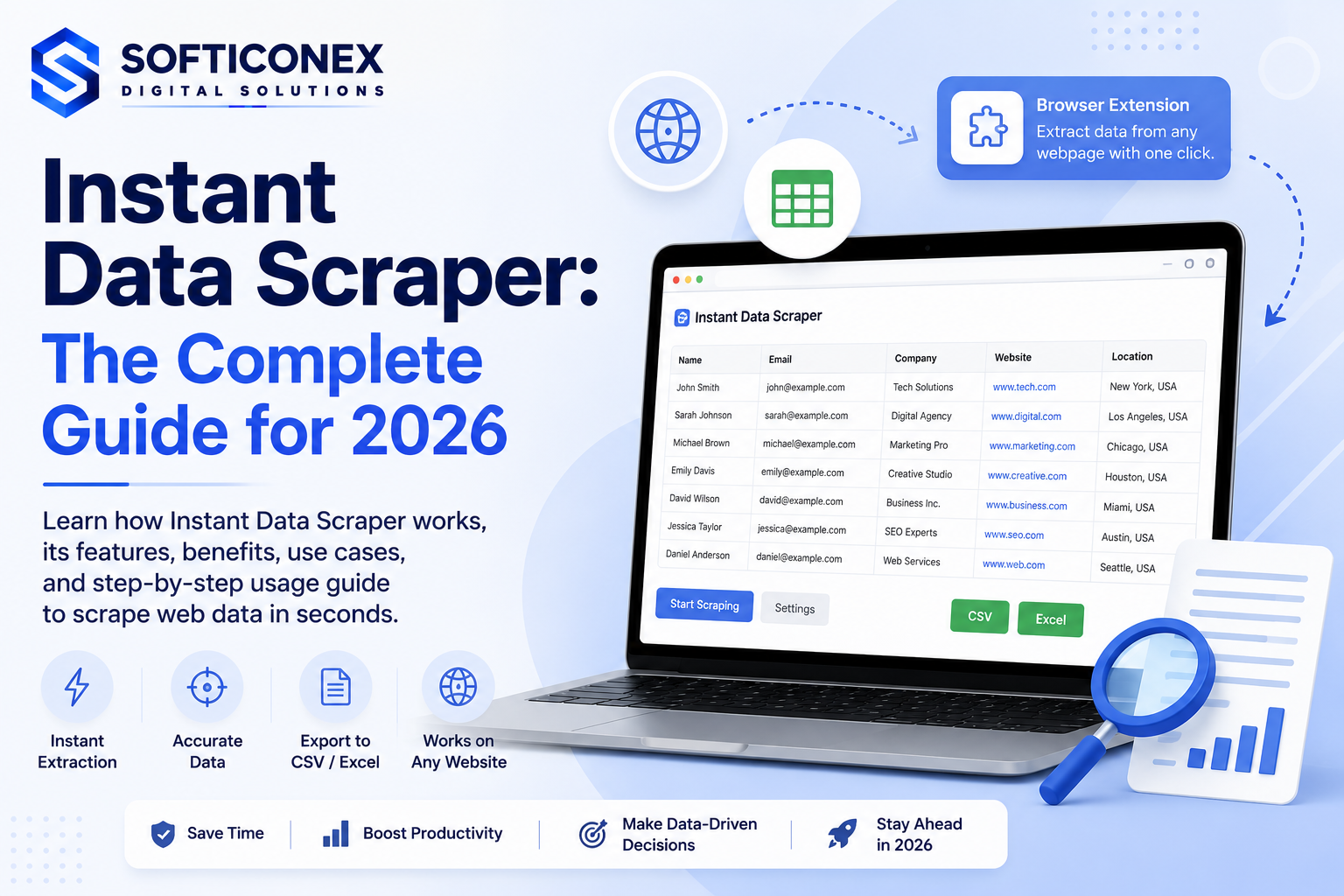
An instant data scraper is a no-code tool typically a browser extension, desktop app, or cloud platform that automatically detects tables, lists, or repeating data on a webpage and exports it to CSV, Excel, or JSON in seconds. Popular options include Instant Data Scraper (Chrome extension), Octoparse, ScraperAPI’s DataPipeline, ScrapingBee, and Apify. The best choice depends on page complexity, data volume, and whether you need automation or scheduling.
What Is an Instant Data Scraper?
An instant data scraper is a tool, usually a browser extension, desktop app, or cloud-based service that automatically detects structured data on a webpage (like tables, lists, or product grids) and exports it into a usable format such as CSV or Excel, typically without requiring any coding.
Rather than asking you to define custom rules or write scripts, these tools use pattern recognition to identify repeating elements on a page, think rows in a table, cards in a product listing, or entries in a directory and pull that data out automatically. Most work in seconds: you open a page, click a button, and the tool returns a clean, downloadable dataset.
The name “Instant Data Scraper” also refers to a specific, widely used Chrome extension, but it has become something of a generic term for this entire class of quick, no-code scraping tools.
Who Uses an Instant Data Scraper?
Instant data scrapers appeal to anyone who needs data quickly without a technical background in web development. Common users include:
- Marketers and growth teams building prospect lists, scraping directories, or gathering social proof and reviews.
- E-commerce sellers monitor competitor pricing, product availability, and catalog changes.
- Recruiters pulling candidate details from job boards and professional networking sites.
- Researchers and analysts collecting public datasets for academic or market research.
- Small business owners gathering local business listings, contact information, or industry data.
- Journalists compiling data for investigative or data-driven stories.
- Students and freelancers completing one-off data collection tasks without learning to code.
Because these tools require no programming knowledge, they’ve become the entry point into web scraping for people who would otherwise need to hire a developer or learn Python.
How Does Instant Data Scraper Work?
Instant Data Scraper works by automatically detecting structured data (such as tables and lists) on a webpage. It extracts the data without requiring coding by analyzing the page’s HTML, then lets you preview and export the results in CSV or Excel format. It also supports pagination, allowing you to scrape data across multiple pages automatically.
How Can We Find the Best Instant Data Scraper?
With dozens of tools on the market, choosing the right one comes down to matching the tool to your actual workflow. Consider the following factors:
- Ease of use: Does it work with a single click, or does it require setup and configuration?
- Data complexity: Can it handle JavaScript-heavy, dynamically loaded pages, or only static HTML tables?
- Export formats: Does it support CSV, Excel, JSON, or direct integration with other tools?
- Automation and scheduling: Can you run recurring scrapes, or is it strictly a one-off tool?
- Scale: Is it built for occasional small exports, or large, high-volume data pulls?
- Anti-blocking features: Does it offer proxy rotation or CAPTCHA handling for sites with anti-scraping defenses?
- Pricing: Many tools offer a free tier for light use, with paid plans unlocking automation, higher volume, or API access.
- Compliance and legality: Does the tool respect a site’s terms of service and robots.txt, and are you only collecting publicly available, non-sensitive data?
A simple rule of thumb: browser extensions are best for quick, one-time exports from straightforward pages, while cloud-based or API-driven platforms are better suited for recurring, large-scale, or JavaScript-heavy scraping jobs.
Top 15 Instant Data Scrapers
Here’s an overview of some of the most widely used instant and no-code data scraping tools in 2026, spanning browser extensions, desktop apps, and cloud platforms.
- Instant Data Scraper (Chrome Extension): The original free browser extension that automatically detects tables and lists on a page and exports them to Excel or CSV with no configuration required. Best for quick, one-off jobs on relatively simple pages.
- Octoparse: A visual, point-and-click desktop and cloud tool that handles both simple and complex sites, including those requiring logins or pagination.
- ScraperAPI / DataPipeline: A no-code, API-first platform designed for automated, large-scale extraction with built-in handling of blocks and CAPTCHAs.
- ScrapingBee: An API-based scraping service known for reliable structured-data endpoints and easy integration with existing scraping frameworks.
- Apify: A flexible scraping and automation platform offering pre-built “Actors” for specific platforms like e-commerce sites, maps, and social networks.
- WebScraper.io: A free, browser-based point-and-click scraper that lets users build custom sitemaps for more structured extraction.
- Browse AI: A no-code tool that lets users “train” a robot by clicking on the data they want, useful for monitoring changes on websites over time.
- Thunderbit: An AI-assisted scraper built to handle messy or non-standard page layouts that traditional pattern-detection tools struggle with.
- Data Miner: A browser extension focused on scraping tables and lists into spreadsheets, with pre-built recipes for popular websites.
- ParseHub: A desktop application that can handle dynamic, JavaScript-rendered content through a visual workflow builder.
- Import.io: An enterprise-focused platform offering large-scale data extraction with strong data cleaning and transformation features.
- Bright Data Web Scraper: A robust platform combining proxy infrastructure with scraping tools for high-volume, block-resistant collection.
- Text Blaze: Originally a text-expansion tool, now also used for lightweight scraping and cross-tab data transfer via templates.
- Lindy AI: An AI automation platform that can be configured to extract and route web data as part of broader workflow automations.
- Simplescraper: A lightweight browser extension aimed at quick, no-code scraping with simple scheduling options for recurring jobs.
Since tool features and pricing change frequently, it’s worth checking each provider’s current site for up-to-date plans before committing.
Instant Data Scraper Comparison Table
| Tool | Format | Best For | Handles Dynamic (JS) Pages | Automation/Scheduling | Free Tier |
| Instant Data Scraper | Browser extension | Quick, one-off exports | Limited | No | Yes |
| Octoparse | Desktop + cloud | Logins, pagination, mixed complexity | Yes | Yes | Yes |
| ScraperAPI / DataPipeline | API / cloud | Large-scale automated extraction | Yes | Yes | Limited |
| ScrapingBee | API | Developer-friendly structured data | Yes | Yes | Limited |
| Apify | Cloud platform | Platform-specific scraping (e.g., maps, marketplaces) | Yes | Yes | Yes |
| WebScraper.io | Browser extension | Custom sitemaps, structured pages | Partial | Yes | Yes |
| Browse AI | Cloud / no-code | Monitoring pages for changes | Yes | Yes | Yes |
| Thunderbit | AI-assisted extension | Messy or non-standard layouts | Yes | Limited | Yes |
| Data Miner | Browser extension | Simple table/list scraping | Limited | No | Yes |
| ParseHub | Desktop app | Visual workflows on dynamic sites | Yes | Yes | Yes |
| Import.io | Enterprise cloud | Large-scale, cleaned datasets | Yes | Yes | No |
| Bright Data Web Scraper | Cloud + proxies | High-volume, block-resistant scraping | Yes | Yes | Limited |
| Text Blaze | Browser extension | Lightweight, cross-tab data transfer | No | Limited | Yes |
| Lindy AI | AI automation platform | Scraping within broader workflows | Yes | Yes | Limited |
| Simplescraper | Browser extension | Quick scraping with basic scheduling | Partial | Yes | Yes |
How to read this table: If you need a fast, one-time export from a simple page, lean toward browser extensions (Instant Data Scraper, Data Miner, Text Blaze). If you need recurring, large-scale, or JavaScript-heavy scraping, cloud and API-based platforms (ScraperAPI, ScrapingBee, Apify, Bright Data) are the more reliable choice.
Tips for Better Results From an Instant Data Scraper
- Start on a clean, representative page. Test the scraper on a single page before running it across many, to confirm it’s picking up the right fields.
- Scroll or load content first. If a page uses infinite scroll or lazy loading, scroll through it before scraping so all the data is present in the page.
- Check the preview before exporting. Most tools show a preview table and review it for missing columns or misaligned rows before downloading.
- Clean column headers manually. Auto-detected headers aren’t always accurate; a quick manual pass avoids confusion later.
- Break large jobs into batches. Scraping too much at once can trigger rate limits or errors; smaller batches are more reliable.
- Respect site terms and robots.txt. Only scrape publicly available data and avoid sites that explicitly prohibit automated access.
- Add delays for large or repeated scrapes. Spacing out requests reduces the chance of getting blocked or flagged.
- Cross-check a sample of the data. Spot-check a few rows against the original page to confirm accuracy before using the dataset.
Pros and Cons of Instant Data Scraper Tools
Pros
- No coding knowledge required
- Fast setup often ready to use within minutes
- Free or low-cost options available for light use
- Useful for one-off or small recurring data needs
- Reduces manual, repetitive data entry work
Cons
- Struggles with heavily dynamic, JavaScript-rendered pages
- Limited customization compared to custom-built scrapers
- May break if a website changes its layout
- Can trigger anti-bot measures on some sites without added safeguards
- Free tiers often cap volume, speed, or automation features
Conclusion
Instant data scrapers have made web data collection accessible to anyone, not just developers. For quick, one-off exports from straightforward pages, a free browser extension like Instant Data Scraper is often all you need. For recurring, high-volume, or JavaScript-heavy scraping the kind businesses rely on for pricing intelligence, lead generation, or market research a cloud-based or API-driven platform such as Octoparse, ScraperAPI, ScrapingBee, or Apify is the more dependable choice.
Key takeaways:
- An instant data scraper automatically detects and exports structured web data (tables, lists, grids) without coding.
- Browser extensions suit quick, one-time jobs; cloud/API platforms suit automation and scale.
- The right tool depends on page complexity, data volume, export format needs, and budget.
- Always scrape publicly available data responsibly and in line with a website’s terms of service.
- Testing on a single page, checking previews, and cross-verifying results are the fastest ways to improve accuracy.
There’s no single “best” instant data scraper for everyone the right pick comes down to how complex your target websites are, how often you need to scrape them, and how much automation your workflow requires. Matching the tool to the job, rather than chasing the most feature-packed option, is what actually saves time in practice.
Frequently Asked Questions
Is using an instant data scraper legal?
Scraping publicly available data is generally permissible in many jurisdictions, but legality depends on what you scrape, how you use it, and the target site’s terms of service. Avoid scraping personal, copyrighted, or paywalled content, and always review a site’s terms before automating data collection.
Do I need coding skills to use one?
No. Most instant data scrapers are designed specifically for non-technical users, relying on visual interfaces or automatic pattern detection instead of code.
Can instant data scrapers handle websites with logins?
Some can, particularly desktop and cloud-based tools with more advanced configuration options. Simple browser extensions typically cannot handle login-protected pages.
What file formats can I export scraped data to?
Most tools support CSV and Excel at minimum, with many also offering JSON export or direct integration with spreadsheets, databases, or automation platforms.
Why didn’t the scraper detect the data I wanted?
This usually happens on pages with dynamic content that loads after the initial page load, or where data isn’t organized in a recognizable table or list structure. Scrolling to load content first, or switching to a tool built for JavaScript-heavy sites, often resolves this.
Are free instant data scrapers good enough for business use?
Free tools work well for occasional, small-scale needs. Businesses with recurring, high-volume, or mission-critical data needs typically benefit from paid plans that offer automation, scheduling, and better reliability.
What’s the difference between an instant data scraper and a traditional web scraper?
An instant data scraper is built for speed and simplicity — no setup, no code, and automatic pattern detection. A traditional web scraper (built with tools like Python, Scrapy, or Selenium) requires custom coding but offers far more control over complex sites, authentication, and large-scale pipelines.