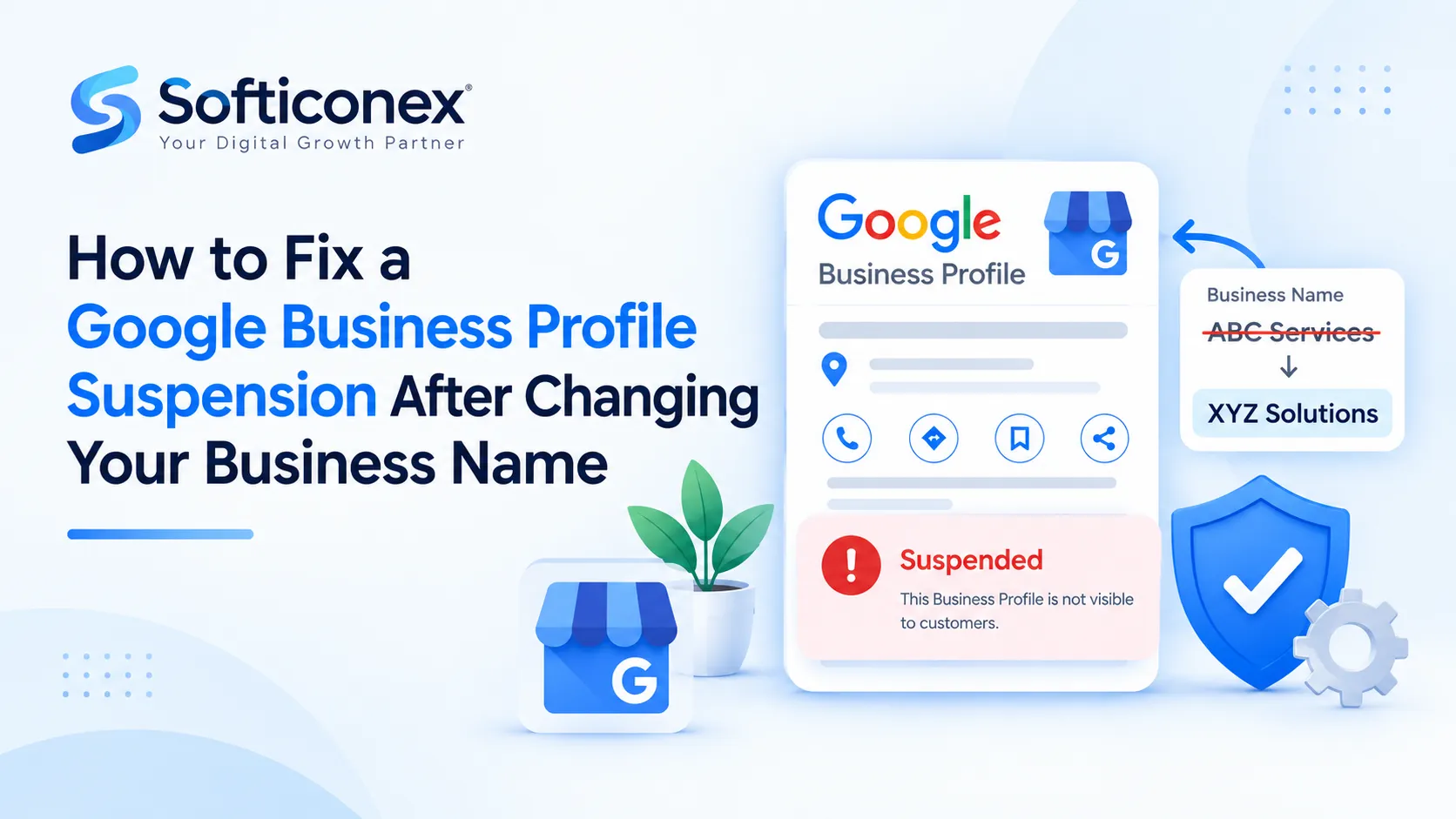
A Google Business Profile (GBP) suspension is a restriction Google places on a business listing when it believes the profile breaks its guidelines or can’t be verified as a genuine business. Depending on the severity, you may lose the ability to edit the profile, or the listing may disappear from Google Search and Maps, hiding your reviews and cutting off calls and direction requests. Suspensions are often triggered by issues such as keyword-stuffed names, ineligible addresses, duplicate listings, or sudden edits like a business name change.
A step-by-step reinstatement playbook, appeal templates, prevention tips and FAQs
In this guide
01 Executive summary
02 Understanding GBP suspensions
03 Why a name change triggers suspension
04 Step-by-step recovery process
05 Evidence and documentation checklist
06 Appeal message templates
07 Timelines and what to expect
08 If your appeal is denied
09 Preventing suspension when renaming
10 Common mistakes to avoid
11 Frequently asked questions
12 Quick-reference checklist
1. Executive Summary
Changing your business name on Google Business Profile (GBP) is one of the most common triggers for a suspension. The change may be entirely legitimate, such as a rebrand, a change of ownership or a corrected legal name, but Google’s automated systems cannot tell that at first glance. A name edit resembles what spammers do when they hijack listings or stuff keywords, so the profile is flagged for review.
The good news is that most suspensions caused by a genuine name change are recoverable. Success depends on a disciplined sequence: diagnose the suspension, correct every compliance issue, make your name consistent across the web, prove the change with clean documents, and submit a single, concise appeal.
| The recovery formula in five lines1. Identify whether the suspension is soft or hard.2. Audit and fix the profile against Google’s guidelines before doing anything else.3. Make your website, signage and online presence match the new name.4. Gather registration, licence and premises evidence that all agree with each other.5. Submit one factual appeal, then wait, follow up and read the response carefully. |
2. Understanding GBP Suspensions
Before acting, confirm which type of suspension you are dealing with, because the remedy differs.
| Type | What you will see | What it usually means |
|---|---|---|
| Soft suspension | The profile may still appear in Search and Maps, but you cannot edit it and the dashboard shows it as suspended or unverified. | A verification or policy question, often tied to a recent edit. Generally easier to resolve. |
| Hard suspension | The listing is removed from Google Search and Maps and its reviews are no longer publicly visible. | A more serious guideline issue. Requires a formal reinstatement request with evidence. |
Where to check: sign in to Business Profile Manager, open the affected profile and read any banner. Also check the email address linked to the profile, including spam, for notices. Google’s message is often vague, but it usually indicates the general policy area.
3. Why a Name Change Triggers Suspension
The business name is among the most abused fields on GBP because it directly influences local rankings. For that reason it is closely monitored. The most common causes of a post-rename suspension are listed below.
| Cause | Explanation |
|---|---|
| Name does not match real-world branding | Google expects the name to match your signage, website, invoices and packaging. |
| Keywords, locations or taglines in the name | Descriptors such as “Best Plumber in Lahore”, prices or promotional text violate the representation guidelines. |
| Too many edits in one session | Changing the name, category, phone number and address together is a recognised risk signal. |
| Inconsistent online presence | If your website and social profiles still show the old name, the change looks unverified. |
| Name resembles another business | This can appear to be an impersonation or a duplicate listing. |
| A pre-existing hidden issue | A virtual-office address, duplicate listing or ineligible category may have been tolerated until the edit drew attention to the profile. |
4. Step-by-Step Recovery Process
Step 1: Diagnose the suspension
Determine whether it is a soft or hard suspension, read every message from Google, and note the date the name was changed. The timing of the edit relative to the suspension is your strongest clue.
Step 2: Audit the profile against Google’s guidelines
Review every field against Google’s “Guidelines for representing your business on Google”. Correct anything that does not comply before you appeal.
Business name
- Must reflect the real-world name used consistently on signage, website, invoices and packaging.
- No keywords, service descriptions, locations, slogans, phone numbers or promotions.
Address and service area
- Must be a real location where the business operates. PO boxes, mailbox stores and virtual offices are not eligible.
- If you serve customers at their locations and have no public storefront, configure a service-area business and hide the address.
Category, contact details and duplicates
- Choose the most specific primary category that genuinely fits.
- Ensure the phone number and website belong to the business and lead to a real page for it.
- Search for older listings under your previous name or address and merge or remove duplicates.
| ImportantAppealing before fixing is the most common reason reinstatement requests fail. Correct everything first, then take screenshots of the corrected profile to keep as records. |
Step 3: Make your online presence consistent
Google cross-checks the wider web. Before you appeal, update the following so that they all show the new name:
- Website: header, footer, contact page, About page and page titles.
- Signage: photograph a storefront sign or, for service-area businesses, branded vehicles, uniforms or equipment.
- Social profiles: Facebook, Instagram, LinkedIn and others.
- Directories and citations: major listings and industry-specific directories.
- Legal records: if you rebranded legally, update your registration so the paperwork is the strongest proof.
Step 4: Gather your evidence
Reviewers see many cases and spend limited time on each. Clear, matching documents matter more than a long explanation. See Section 5 for the full checklist.
Step 5: Submit the reinstatement request
- Sign in with the Google account that manages the profile.
- Open the suspended profile in the Business Profile Manager and select Appeal or Request reinstatement, or use Google’s official reinstatement request form in the Help Center.
- Confirm the business name, address and contact details on the form match the corrected profile exactly.
- Upload your evidence as clear PDFs or high-resolution photos.
- Write a short, factual explanation (templates are provided in Section 6).
- Submit once, and save any case number you receive.
Step 6: Wait, follow up and read the response
- Do not edit the profile further unless Google instructs you to.
- Check your email, including spam, for replies.
- If Google asks for more information, reply on the existing email thread rather than opening a new request.
- If approved, the profile typically reappears within a few days, and its reviews and history return because it is the same listing.
5. Evidence and Documentation Checklist
Names, addresses and dates should match across every document and match your GBP exactly. Prepare as many of the following as apply to your business.
| Document | Purpose | Tip |
|---|---|---|
| Proof of name change (amended registration, DBA or assumed-name filing, new trade licence) | Shows the new name is legally yours and links it to the old one. | Include documents from before and after the change. |
| Business licence or permit | Confirms the business is legitimate at the stated address. | Must be current and unexpired. |
| Tax or utility document | Independent proof of business name and address. | Use a recent bill or registration certificate. |
| Storefront and premises photos or video | Proves a real operation using the new name. | Show the sign, interior and street context. |
| Website screenshots | Shows the new name and contact details online. | Capture the header, contact page and footer. |
| Domain or business email ownership | Ties the online presence to you. | Optional but helpful. |
6. Appeal Message Templates
Keep the message short, professional and factual. State what changed, what you corrected and what is attached. Adapt the brackets to your case.
Template A: Legitimate rebrand
| Sample text: We rebranded from [Old Name] to [New Name] on [date]. Our new name is registered with [authority] (certificate attached). The profile now matches our signage and website, contains no keywords or promotional text, and uses our verified physical address at [address]. Photos of our storefront sign and screenshots of our updated website are attached. Please review and reinstate the profile. |
Template B: Service-area business
| Sample text[New Name] is a service-area business operating in [area]. We changed our name from [Old Name] on [date] and have updated our registration (attached). We have hidden our address, removed all non-brand text from the name, and updated our website and social profiles. Photos of our branded vehicles and equipment are attached. Please review and reinstate the profile. |
| Do | Avoid |
|---|---|
| Be concise and factual | Emotional or angry language |
| State exactly what you fixed | Long backstories |
| Attach matching evidence | Arguing with Google or threatening bad feedback |
| Submit once, then wait | Repeated submissions in quick succession |
7. Timelines and What to Expect
Review times vary with case complexity and support workload, and Google does not publish guaranteed timeframes. The ranges below are general expectations only.
| Stage | Typical expectation | What you should do |
|---|---|---|
| After submitting | Automated acknowledgement, sometimes with a case reference. | Save the reference. Do not edit the profile. |
| Under review | Often several days; some cases take a couple of weeks or longer. | Monitor email and the dashboard. |
| Approved | Listing usually reappears within a few days. | Verify all details and check that reviews are visible. |
| Needs more information | Google requests additional evidence. | Reply on the same thread promptly. |
| Denied | A short reason or generic policy link. | Follow the steps in Section 8. |
8. If Your Appeal Is Denied
Do not resubmit immediately. Repeated rejected appeals can make later attempts harder, so treat the next submission as your best one.
- Read the reason. Even a short denial hints at the problem.
- Re-audit the name, address, category and website against your documents.
- Find the mismatch. Common culprits are an address that differs slightly from the licence, a name that still contains a descriptor, a website that has not been updated, or an outdated document.
- Correct and document. Take fresh photos or screenshots showing the fix.
- Submit once more with stronger evidence.
- Escalate legitimately. Post your case details in the Google Business Profile Community forum or contact GBP support. Product Experts can sometimes spot what you missed.
| Professional helpA reputable local SEO specialist with reinstatement experience can help diagnose difficult cases. No one can guarantee reinstatement because Google makes the final decision, so be cautious of anyone who promises it. |
Should you create a new profile instead?
Usually not. Creating a new profile for a business that already has a suspended one can be treated as a duplicate, which may worsen the situation and risk a permanent suspension. You would also lose your reviews and history. Consider a new listing only if Google has clearly confirmed the old one cannot be restored, and check the current guidelines or ask on the community forum first.
9. Preventing Suspension When Renaming
If you have not yet changed your name, or you have just been reinstated, follow these practices to avoid a repeat.
- Change everywhere first: update signage, website, social profiles and documents before editing GBP.
- One change at a time: avoid editing the name, category, address and phone number in the same session.
- Keep the name clean: use only your actual brand name.
- Protect ownership: manage the profile from a verified owner account and only add trusted users.
- Monitor after the edit: check the profile for several days, and watch for user-suggested edits that quietly revert your name.
- Keep evidence ready: store your registration, licence and premises photos where you can find them quickly.
10. Common Mistakes to Avoid
| Mistake | Why it hurts |
|---|---|
| Appealing before fixing the issue | The appeal is denied and a rejected attempt is used up. |
| Submitting multiple appeals quickly | Can make later reviews harder and slow the process. |
| Mismatched documents | Inconsistent names or addresses undermine credibility. |
| Adding keywords back after reinstatement | Triggers another suspension, often more severe. |
| Opening a duplicate profile | Risks permanent suspension and loses your reviews. |
| Making several edits during the review | Can reset or complicate the case. |
11. Frequently Asked Questions
Q. Why was my profile suspended right after I changed my name?
Name edits are closely monitored because the name influences rankings. An unverified or non-compliant name change, especially combined with other edits, can trigger an automated suspension.
Q. Will I lose my reviews if I get reinstated?
No. When a profile is reinstated it is the same listing, so its reviews and history are restored. This is one reason to pursue reinstatement rather than creating a new profile.
Q. How long does reinstatement take?
It varies. Some cases resolve within a few days, while others take a couple of weeks or longer. Submitting complete, accurate evidence the first time is the best way to avoid delays.
Q. Can I change the name back to the old one?
You can if the old name is still your genuine, consistently used name. However, do not change it back and forth. Make the name reflect your real-world branding and keep it stable.
Q. Can I add my location or service to the business name?
Generally no. Keywords, locations and descriptors that are not part of your real name violate Google’s guidelines and are a leading cause of suspension.
Q. My business has no storefront. Can I still have a profile?
Yes, if you serve customers in person at their locations. Set it up as a service-area business, hide the address and provide evidence such as branded vehicles or equipment.
Q. How many times can I appeal?
Google does not publish a fixed limit, but repeated rejected appeals can make later ones harder. Fix the cause and submit a strong appeal rather than resubmitting repeatedly.
Q. What if I never receive a response?
Check spam folders, reply on the original email thread, and post your case details in the Google Business Profile Community forum. Support queues can be slow.
Q. Does a name change need Google verification again?
Sometimes. Significant edits can prompt re-verification, so keep your verification options and documents ready.
Q. Should I hire a reinstatement specialist?
It can help if your case is complex or you have been denied more than once. Choose carefully and avoid anyone who guarantees results.
Q. Will my map ranking return after reinstatement?
Rankings usually recover once the listing is live again, but the timing varies. Keep the profile compliant, and continue to earn reviews and maintain consistent citations.
Q. Can a competitor cause my suspension?
Third-party reports and suggested edits can prompt reviews. Keep your profile compliant and monitor for unauthorised edits so you can respond quickly.
12. Quick-Reference Checklist
☐ Identified soft vs. hard suspension
☐ Removed keywords, locations and promotions from the name
☐ Confirmed name matches signage, website and legal documents
☐ Verified address is real and eligible (or switched to service-area)
☐ Removed or merged duplicate listings
☐ Updated website and social profiles to the new name
☐ Gathered registration, licence and tax documents
☐ Took clear photos of signage and premises
☐ Submitted a short, factual appeal once
☐ Tracked the case number and replied on the same thread
Conclusion
A Google Business Profile suspension after a name change is stressful, but it is usually fixable when the change is legitimate. The formula is consistent: fix the underlying problem first, make your name match across every source, prove it with clean documents and submit a concise appeal once.
Google’s policies and review processes change over time, so confirm the details against the current Google Business Profile Help Center before you act.
Disclaimer: This guide is for general information only. It is not affiliated with Google, and reinstatement outcomes cannot be guaranteed.