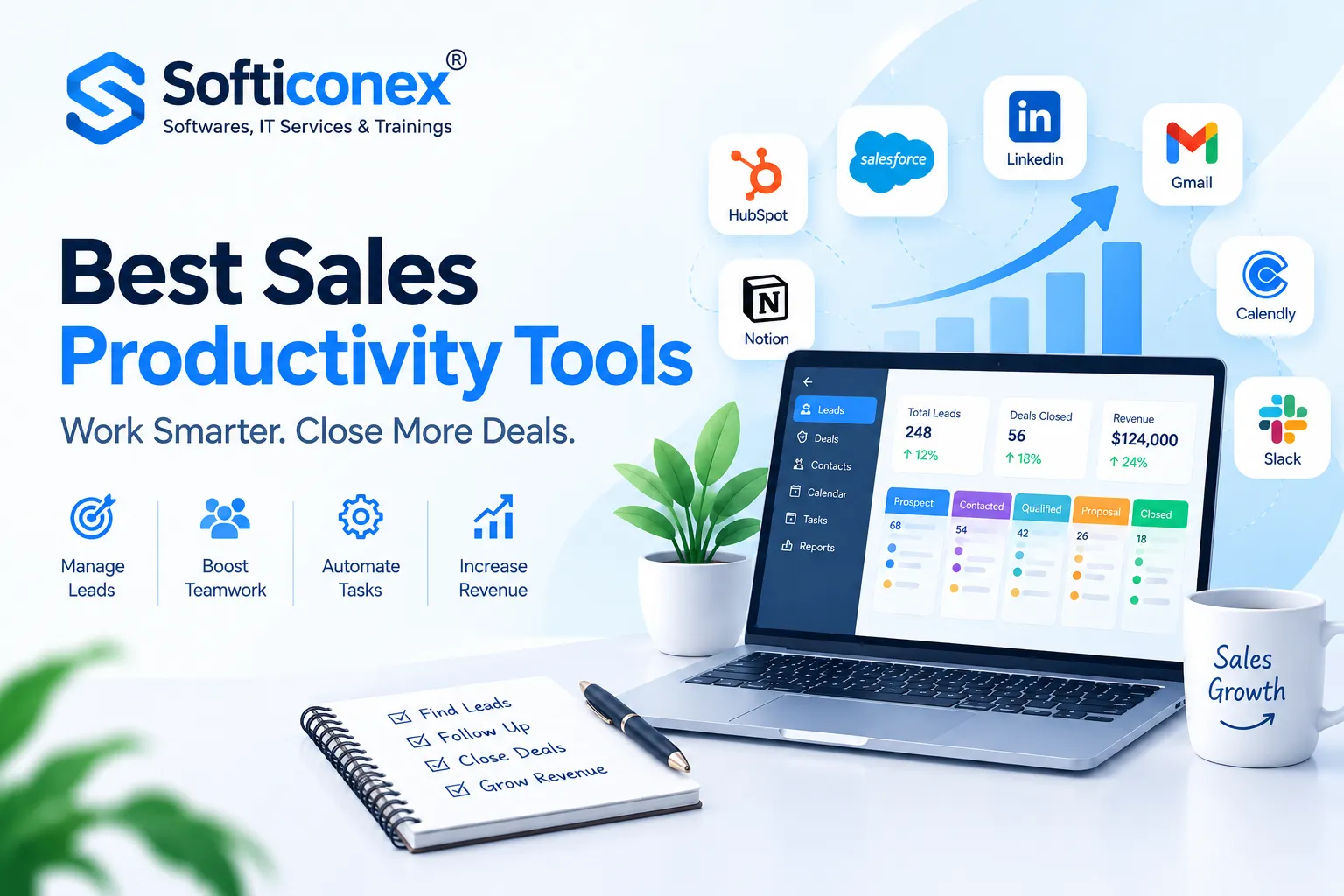
Most sales reps spend far less than half of their week actually talking to buyers. The rest disappears into data entry, hunting for contact details, writing the same follow-up email for the fifth time, building quotes, and preparing for forecast calls. Sales productivity tools exist to hand that time back.
The market is crowded, though. A typical team now juggles a CRM, a data provider, an outreach tool, a call recorder, a scheduler, and a proposal app, and every extra login is another place where information goes stale. This guide explains what sales productivity software is, which categories matter, and how 15 well-known platforms compare on price, strengths, weaknesses, and review-site reputation, so you can build a stack that earns its cost.
What Are Sales Productivity Tools?
Sales productivity tools are software products that remove manual work from the selling process and help reps and managers make better decisions faster. They automate logging and reminders, surface the right prospects, speed up communication, and give leaders visibility into what is really happening in the pipeline.
The goal is not simply to do more activity. A good tool should either increase the number of quality conversations, shorten the time between first touch and signed deal, or improve the accuracy of forecasts. If it does none of those, it is clutter.
Why Sales Productivity Software Matters
- Time recovered for selling: Automatic activity capture, templates, and scheduling links cut hours of weekly admin per rep.
- Cleaner data: When systems sync on their own, managers stop arguing over whose spreadsheet is right.
- Faster ramp-up: Call recordings and playbooks let new hires learn from top performers rather than guess.
- Better prioritisation: Scoring, intent signals, and AI suggestions point reps at the accounts most likely to buy.
- Predictable revenue: Forecasting and deal-inspection features reduce end-of-quarter surprises.
The Main Categories
It helps to think in jobs rather than brands.
- CRM and pipeline management: the system of record for contacts, deals, and tasks.
- Prospecting and data: finding and verifying the people you should contact.
- Sales engagement: multi-step email, call, and social sequences at scale.
- Conversation intelligence: recording, transcribing, and analysing calls.
- Scheduling and documents: booking meetings and getting proposals signed.
- Forecasting and revenue intelligence: judging deal health and predicting the number.
How We Chose and Ranked These Sales Productivity Tools
We scored each product on five factors: ease of adoption, depth of automation, integration breadth, value for the price, and the reputation shown in public review scores. Rankings are editorial judgments for a general B2B team; your own ranking may differ if you are a five-person startup or a global enterprise. Pricing is approximate, listed per user per month with annual billing unless stated, and vendors change plans often.
Comparison Table: 15 Sales Productivity Tools at a Glance
| Rank | Tool | Category | Best For | Starting Price (approx.) | G2 (approx.) | Capterra (approx.) | Free Plan or Trial |
| 1 | HubSpot Sales Hub | CRM and sales suite | Growing teams wanting one platform | Free CRM; paid from about $20 | 4.4 | 4.5 | Free tier |
| 2 | Salesforce Sales Cloud | CRM | Mid-market and enterprise | From about $25 | 4.4 | 4.4 | Trial |
| 3 | Apollo.io | Prospecting and engagement | Budget-conscious outbound teams | Free; paid from about $49 | 4.7 | 4.6 | Free tier |
| 4 | Gong | Conversation intelligence | Coaching and deal visibility | Custom quote | 4.8 | 4.8 | Demo |
| 5 | Pipedrive | CRM | Small teams, visual pipelines | From about $14 | 4.3 | 4.5 | Trial |
| 6 | LinkedIn Sales Navigator | Social selling | Relationship-led outreach | About $99 to $169 | 4.3 | 4.5 | Trial |
| 7 | Salesloft | Sales engagement | Structured cadence management | Custom quote | 4.5 | 4.3 | Demo |
| 8 | Outreach | Sales engagement | Large outbound organisations | Custom quote | 4.3 | 4.3 | Demo |
| 9 | Close | CRM with built-in calling | Inside sales teams | From about $9 to $49 | 4.7 | 4.7 | Trial |
| 10 | Calendly | Scheduling | Frictionless meeting booking | Free; paid from about $10 | 4.7 | 4.7 | Free tier |
| 11 | PandaDoc | Proposals and e-signature | Quote-to-contract speed | Free e-sign; paid from about $19 | 4.7 | 4.5 | Free tier |
| 12 | ZoomInfo | Prospecting data | Large contact databases | Custom, typically five figures per year | 4.5 | 4.2 | Demo |
| 13 | Zoho CRM | CRM | Cost-sensitive, customisable setups | From about $14 | 4.1 | 4.3 | Free tier |
| 14 | monday sales CRM | CRM and work management | Teams that love visual workflows | From about $12 (min. seats apply) | 4.6 | 4.6 | Trial |
| 15 | Clari | Forecasting | Revenue leaders and RevOps | Custom quote | 4.6 | Limited reviews | Demo |
Scores are approximate snapshots of public review-site averages and rounded to one decimal. Review counts, categories, and prices change; verify before purchasing.
The 15 Sales Productivity Tools in Detail
1. HubSpot Sales Hub
Category: CRM and sales suite. G2: about 4.4. Capterra: about 4.5. Price: free CRM; paid tiers from roughly $20 per seat, with Professional and Enterprise costing considerably more.
HubSpot combines contact management, email tracking, sequences, meeting links, quoting, and reporting in one interface that new reps can learn quickly. Its free CRM is among the most generous on the market, and the wider marketing and service products plug in natively.
Strengths: quick onboarding, a clean interface, a huge integration marketplace, and a smooth path from free to paid.
Weaknesses: costs climb fast as you add seats and advanced features, and some automation is locked to higher tiers.
Best for: startups and mid-sized teams that want sales and marketing on one platform.
What reviewers say: praise centres on ease of use and support; complaints focus on pricing jumps at renewal.
2. Salesforce Sales Cloud
Category: CRM. G2: about 4.4. Capterra: about 4.4. Price: from roughly $25 per user for starter plans, with Pro, Enterprise, and Unlimited editions scaling upward.
Salesforce is the long-standing heavyweight of customer relationship management. Its strength is configurability: custom objects, approval flows, territory management, and an enormous partner ecosystem allow it to model almost any sales process. AI features now assist with lead scoring, summaries, and suggested next steps.
Strengths: depth, scalability, and the largest app marketplace.
Weaknesses: it often needs an admin or consultant, implementations can be slow, and total cost is high.
Best for: complex organisations with dedicated sales operations staff.
What reviewers say: users value power and flexibility but frequently mention a steep learning curve.
3. Apollo.io
Category: prospecting database plus engagement. G2: about 4.7. Capterra: about 4.6. Price: free plan; paid from roughly $49 per user.
Apollo bundles a large business-contact database with email sequencing, a dialer, and basic analytics, which lets small teams prospect and engage from a single screen. Filters for job title, company size, and technology make list-building quick.
Strengths: strong value, all-in-one workflow, and an accessible free tier.
Weaknesses: data accuracy varies by region and role, and credit limits can restrict heavy exporters.
Best for: startups and SDR teams that need data and outreach without enterprise pricing.
What reviewers say: reviewers like the price-to-feature ratio; critics mention occasional outdated contacts.
4. Gong
Category: conversation intelligence and revenue intelligence. G2: about 4.8. Capterra: about 4.8. Price: custom, usually a platform fee plus per-user licences.
Gong records and transcribes calls and meetings, then analyses talk ratios, topics, objections, and competitor mentions. Managers can coach from real conversations instead of anecdotes, and deal boards flag risks such as missing stakeholders or stalled activity.
Strengths: accurate transcription, powerful search, strong coaching workflows.
Weaknesses: premium pricing and a contract structure that may be heavy for small teams. Best for: teams with enough call volume that coaching and deal inspection pay for themselves. What reviewers say: consistently high satisfaction; price is the usual criticism.
5. Pipedrive
Category: CRM. G2: about 4.3. Capterra: about 4.5. Price: from roughly $14 per user.
Pipedrive is built around a drag-and-drop pipeline that makes deal stages obvious at a glance. Activity reminders keep reps focused on the next action, and add-ons cover email campaigns, scheduling, and document handling.
Strengths: simple, visual, affordable, and fast to set up.
Weaknesses: reporting and customisation are lighter than enterprise systems, and several useful features are paid add-ons.
Best for: small and growing teams with straightforward sales cycles.
What reviewers say: praised for usability; some reviewers want deeper analytics.
6. LinkedIn Sales Navigator
Category: social selling and account intelligence. G2: about 4.3. Capterra: about 4.5. Price: roughly $99 to $169 per user depending on tier.
Sales Navigator layers advanced search, lead and account alerts, and relationship mapping on top of LinkedIn. Reps can see job changes, shared connections, and news that create natural reasons to reach out.
Strengths: fresh professional data and warm-introduction paths.
Weaknesses: no email sequencing of its own, InMail limits apply, and cost per seat is notable. Best for: account executives selling to named accounts through relationships.
What reviewers say: valued for search quality; some find the price high relative to usage.
7. Salesloft
Category: sales engagement. G2: about 4.5. Capterra: about 4.3. Price: custom quote.
Salesloft organises outreach into cadences that combine calls, emails, and social tasks. Reps see a prioritised daily list, and managers can review which steps generate replies and meetings. Conversation and forecasting capabilities extend the platform beyond outreach.
Strengths: disciplined workflow, analytics, and enterprise integrations.
Weaknesses: quote-based pricing and setup effort.
Best for: mid-market and enterprise teams that run repeatable outbound motions.
What reviewers say: appreciated for structure; occasional notes about complexity.
8. Outreach
Category: sales engagement. G2: about 4.3. Capterra: about 4.3. Price: custom quote.
Outreach is a direct rival to Salesloft, offering sequences, a dialer, deal management, and AI-assisted guidance. Its strengths are scale and configurability for large teams with many sequences and permissions to manage.
Strengths: powerful automation and reporting.
Weaknesses: higher cost and a learning curve, particularly for admins.
Best for: large outbound organisations.
What reviewers say: praised for capability; some mention steep setup time.
9. Close
Category: CRM with native calling and email. G2: about 4.7. Capterra: about 4.7. Price: entry plans from roughly $9, with growth tiers considerably higher.
Close is designed for teams that live on the phone and in the inbox. Calling, SMS, email sequences, and pipeline views sit together, so reps do not bounce between apps to follow up.
Strengths: built-in communication tools, fast workflows, quality support.
Weaknesses: fewer enterprise controls than larger CRMs.
Best for: inside sales and SMB teams.
What reviewers say: consistently strong marks for usability and customer service.
10. Calendly
Category: scheduling. G2: about 4.7. Capterra: about 4.7. Price: free plan; paid from roughly $10 per user.
Calendly removes the email ping-pong of finding a meeting time. Prospects choose from live availability, and round-robin routing can distribute leads across a team. Integrations push booked meetings into the CRM.
Strengths: simplicity and near-universal adoption.
Weaknesses: advanced routing and analytics require upper tiers.
Best for: any rep who books meetings.
What reviewers say: loved for how little training it needs.
11. PandaDoc
Category: proposals, quotes, and e-signature. G2: about 4.7. Capterra: about 4.5. Price: free e-signature; paid plans from roughly $19 per user.
PandaDoc lets reps assemble proposals from templates, pull pricing from a catalogue, track when documents are opened, and collect legally binding signatures. CRM sync keeps deal data aligned with documents.
Strengths: polished templates, tracking, and approvals.
Weaknesses: the best features sit in higher tiers.
Best for: teams that send frequent quotes and contracts.
What reviewers say: users like the speed; some find template editing fiddly.
12. ZoomInfo
Category: B2B contact and company data. G2: about 4.5. Capterra: about 4.2. Price: custom, usually annual contracts in the five-figure range.
ZoomInfo provides contact details, org charts, firmographics, and intent signals at large scale. Its data feeds CRM and engagement tools, helping teams build targeted lists and route leads.
Strengths: breadth of data and enterprise integrations.
Weaknesses: price and rigid contracts.
Best for: larger organisations running high-volume, data-driven prospecting.
What reviewers say: appreciated for coverage; cost and renewal terms draw complaints.
13. Zoho CRM
Category: CRM. G2: about 4.1. Capterra: about 4.3. Price: free plan for small teams; paid from roughly $14 per user.
Zoho CRM offers a broad feature set at modest prices, including workflows, scoring, analytics, and an AI assistant, and fits naturally into the wider Zoho app family.
Strengths: low cost and deep customisation.
Weaknesses: interface can feel dense, and setup takes patience.
Best for: budget-minded teams that enjoy tailoring their system.
What reviewers say: value is the headline; usability is mixed.
14. monday sales CRM
Category: CRM on a work-management platform. G2: about 4.6. Capterra: about 4.6. Price: from roughly $12 per seat with minimum seat counts.
Built on the monday.com work platform, this CRM uses colourful boards, automations, and dashboards that non-technical users can adjust themselves. It is attractive when sales needs to coordinate with delivery or marketing on the same platform.
Strengths: flexibility and approachable design.
Weaknesses: less sales-specific depth than dedicated CRMs, and costs rise with seats and tiers.
Best for: teams that value visual customisation and cross-department collaboration.
What reviewers say: praised for look and feel; some request more advanced sales analytics.
15. Clari
Category: forecasting and revenue intelligence. G2: about 4.6. Capterra: limited review volume. Price: custom quote.
Clari aggregates CRM data, activity signals, and rep input to produce forecasts and deal-health views. Leaders can inspect the pipeline by team, stage, or change over time instead of relying on weekly spreadsheets.
Strengths: forecast visibility and pipeline inspection.
Weaknesses: enterprise pricing and a need for clean CRM data.
Best for: revenue leaders and RevOps teams at scale.
What reviewers say: strong marks for forecasting clarity; cost and implementation effort are common concerns.
Review Platform Snapshot
Three sources are worth checking before you buy:
- G2: the largest software marketplace, with verified reviews and quarterly category grids. Useful for comparing satisfaction and seeing which tools suit small, mid-market, or enterprise buyers.
- Capterra: strong for small-business buyers, with pricing summaries and filter-by-feature search.
- TrustRadius and Gartner Peer Insights: longer, more detailed reviews that often come from larger organisations and include implementation experience.
When reading reviews, filter by company size and role, read the three-star comments first, and check how recent they are. A tool loved by a five-person team may frustrate a 500-person one.
How to Choose the Right Tools
- Name the bottleneck: Is it finding leads, following up, coaching, or forecasting? Buy for the problem you have today.
- Start with the CRM: Everything else should connect to it cleanly.
- Check integrations before features: A flashy tool that does not sync with your CRM creates more admin.
- Count total cost: Include add-ons, onboarding, data credits, and minimum seat requirements.
- Pilot with real reps: Run a 30-day trial with a small group and measure results.
- Plan for adoption: Training and clear ownership matter more than the feature list.
Suggested Stacks by Team Size
- Solo or very small team: HubSpot free CRM or Pipedrive, plus Calendly and PandaDoc’s free tier.
- Early-stage outbound team: Apollo for data and sequences, Close or HubSpot as the CRM, Calendly for booking.
- Mid-market team: HubSpot or Salesforce, Salesloft or Outreach, Gong, and Sales Navigator for key accounts.
- Enterprise: Salesforce, ZoomInfo, Outreach or Salesloft, Gong, and Clari for forecasting.
Common Mistakes to Avoid
- Buying overlapping tools that duplicate features and split data.
- Ignoring data hygiene, which makes every automated tool less accurate.
- Rolling out too many products at once.
- Measuring logins instead of outcomes such as meetings booked, cycle length, and win rate.
- Letting contracts auto-renew without checking real usage.
How to Measure Whether a Tool Is Working
Set a baseline before rollout, then track a few outcome metrics: hours of admin per rep per week, time from lead to first contact, meetings booked per rep, sales-cycle length, win rate, and forecast accuracy. Review at 30, 60, and 90 days. If the numbers do not move, change how the tool is used or retire it.
Trends to Watch
- AI assistants drafting emails, summarising calls, and updating CRM fields automatically.
- Platform consolidation, as vendors merge features and acquire competitors.
- Revenue intelligence linking activity data directly to forecast risk.
- Privacy and compliance rules shaping how contact data may be collected and used.
Conclusion
There is no single best sales productivity tool, only the best fit for your process. Most teams should secure a solid CRM first, then add prospecting, engagement, scheduling, and coaching tools one at a time, measuring each against a clear goal. HubSpot and Salesforce anchor the CRM category, Apollo and Close offer excellent value, Gong leads on coaching, and Clari serves forecasting-focused leaders. Start small, pilot carefully, and keep the stack lean.
Frequently Asked Questions
What are sales productivity tools?
They are software products that automate repetitive sales tasks, organise pipeline data, improve outreach, and give managers insight, so reps spend more time selling.
Which is the best sales productivity tool overall?
For most growing teams, HubSpot Sales Hub is a strong starting point because it is easy to adopt and covers many needs. Large, complex organisations often prefer Salesforce, while outbound-heavy startups may choose Apollo.
Are there free sales productivity tools?
Yes. HubSpot’s free CRM, Apollo’s free plan, Zoho CRM’s free tier, Calendly’s free plan, and PandaDoc’s free e-signature are common starting points.
How much do sales productivity tools cost?
Simple tools start near $10 to $20 per user per month. Full CRMs and engagement platforms commonly run $50 to $165 or more per user, and enterprise products like Gong, ZoomInfo, and Clari are quote-based.
Do I need both a CRM and a sales engagement platform?
Not always. Small teams often manage with a CRM that includes sequences. Larger teams running high-volume outbound usually benefit from a dedicated engagement tool.
What is the difference between sales engagement and conversation intelligence?
Engagement tools run outreach, such as emails, calls, and tasks. Conversation intelligence analyses recorded calls to support coaching and deal insight.
How do I compare tools using G2 and Capterra?
Look at the average score, the number of reviews, how recent they are, and the company size of reviewers. Read mid-range reviews to understand real trade-offs.
How long does implementation take?
Lightweight tools can live in days. CRMs and enterprise platforms often take several weeks to a few months, depending on data migration and customisation.
Can AI really improve sales productivity?
Yes, mainly through call summaries, automatic data entry, email drafting, and lead prioritisation. Results depend on clean data and clear processes.
How many sales tools is too many?
When reps spend time switching between apps or entering the same data twice, you have too many. Aim for a connected core stack with each tool tied to a measurable outcome.